
You can quickly add multiple camera angles directly to a playlist using the touchscreen, creating synced multi-angle sequences in a single action.
How to Add Camera Angles to a Playlist
-
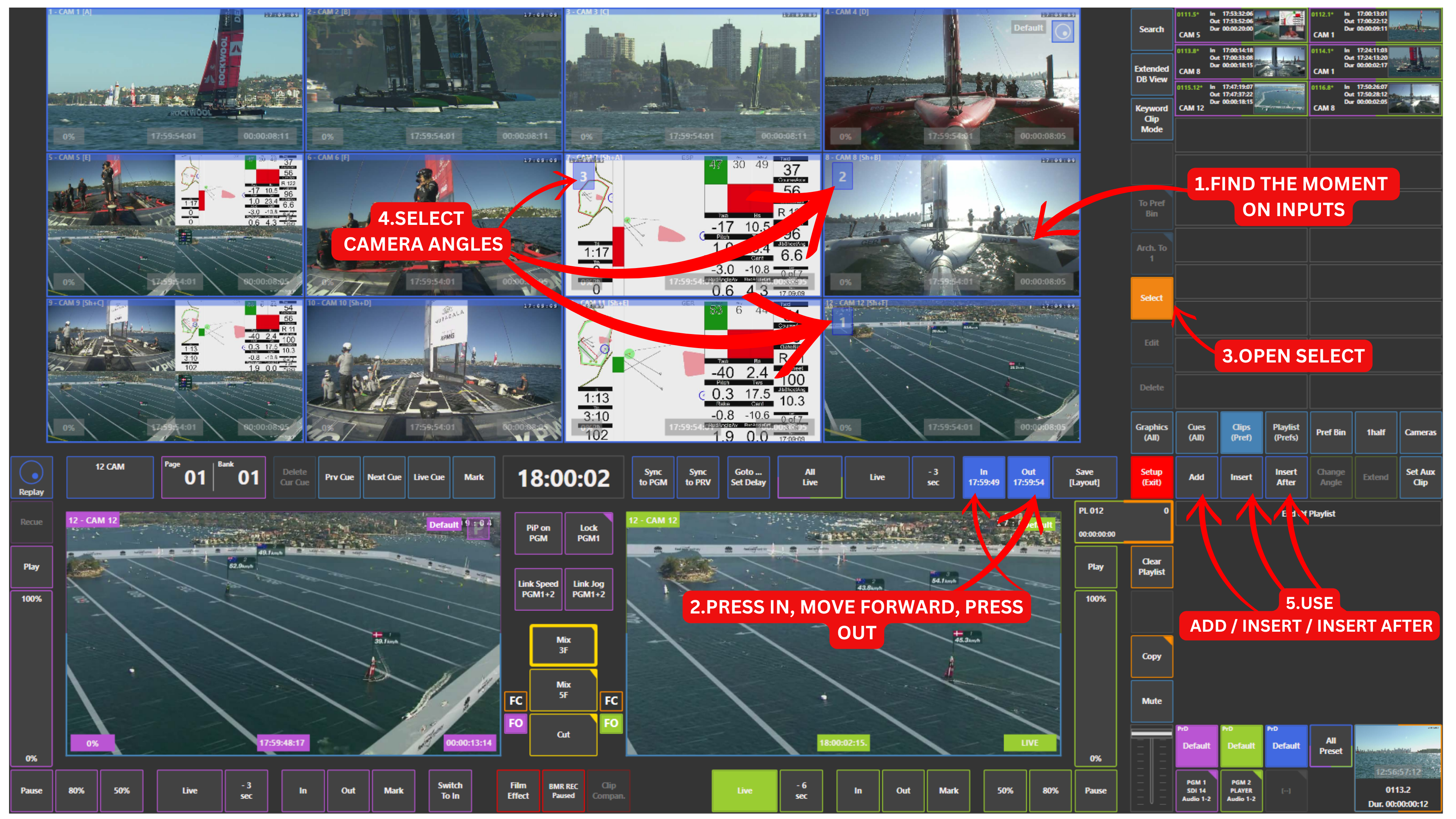
Navigate to the desired moment in the record train / inputs
-
Press IN, move forward, and press OUT
-
Open the Select panel
-
Touch the required camera angles (they will be highlighted)
-
Use one of the following options:
-
Add → adds clips to the end of the playlist
-
Insert → adds clips before the active clip
-
Insert After → adds clips after the active clip
-
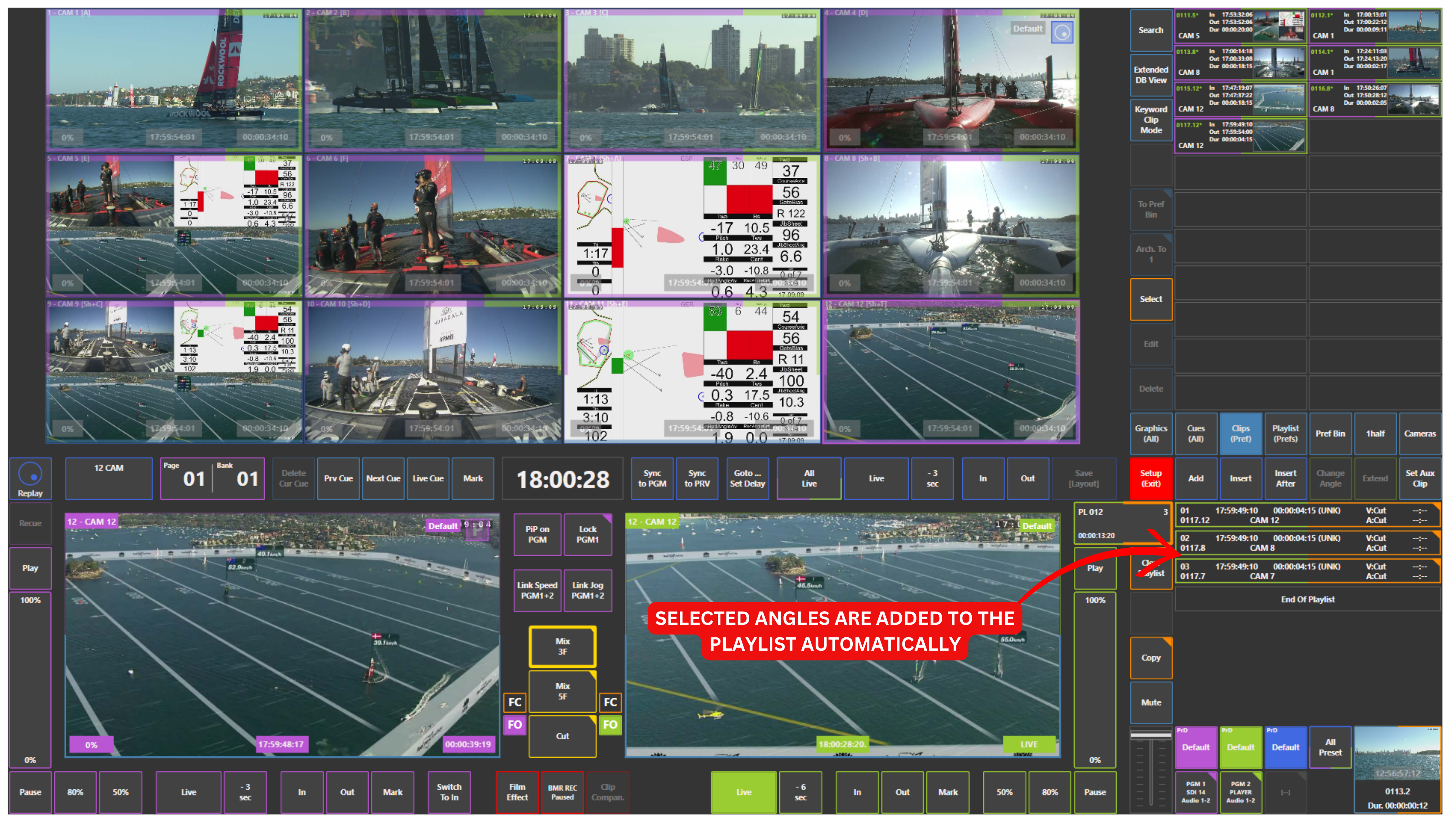
The selected angles will be added to the active playlist while maintaining sync.
Automatic Clip Creation
When adding camera angles directly from the multiviewer, the system automatically creates clips.
These clips are:
-
Saved in the Clips panel
-
Based on the default clip duration defined in Setup Preferences
For example:
-
If your default is 10 seconds before and 10 seconds after the selected frame
-
The created clip will have a total duration of 20 seconds
The frame you see in the multiviewer at the moment of selection becomes the reference point for clip creation.
Info
The automatic clip duration can be configured in Setup Preferences.
This allows you to define how much material is included before and after the selected moment.
Pro Tip
Select multiple camera angles and add them in one move.
You build your playlist and create clips at the same time.