
You can delay your Program or Preview / Program 2 (PGM2) and move it back in time — from a few frames to several minutes or even hours.
This gives you control over what goes on air. For example, when working with sensitive content, you can delay your Program output, monitor the live inputs, and check everything before it is broadcast. This allows you to supervise the feed and react if something should not be shown.
Delay is also useful when you need to align your output with other systems or production requirements.
For example, you can monitor live inputs, such as a dirty program coming into your system on Input 1, while your Program output, which takes that input and plays it out, is delayed by 5 minutes. You watch the live input in real time, and if something happens that should not go on air, you still have time to react before it reaches the delayed Program output.
This gives you full control over the broadcast while keeping the system safe and compliant.
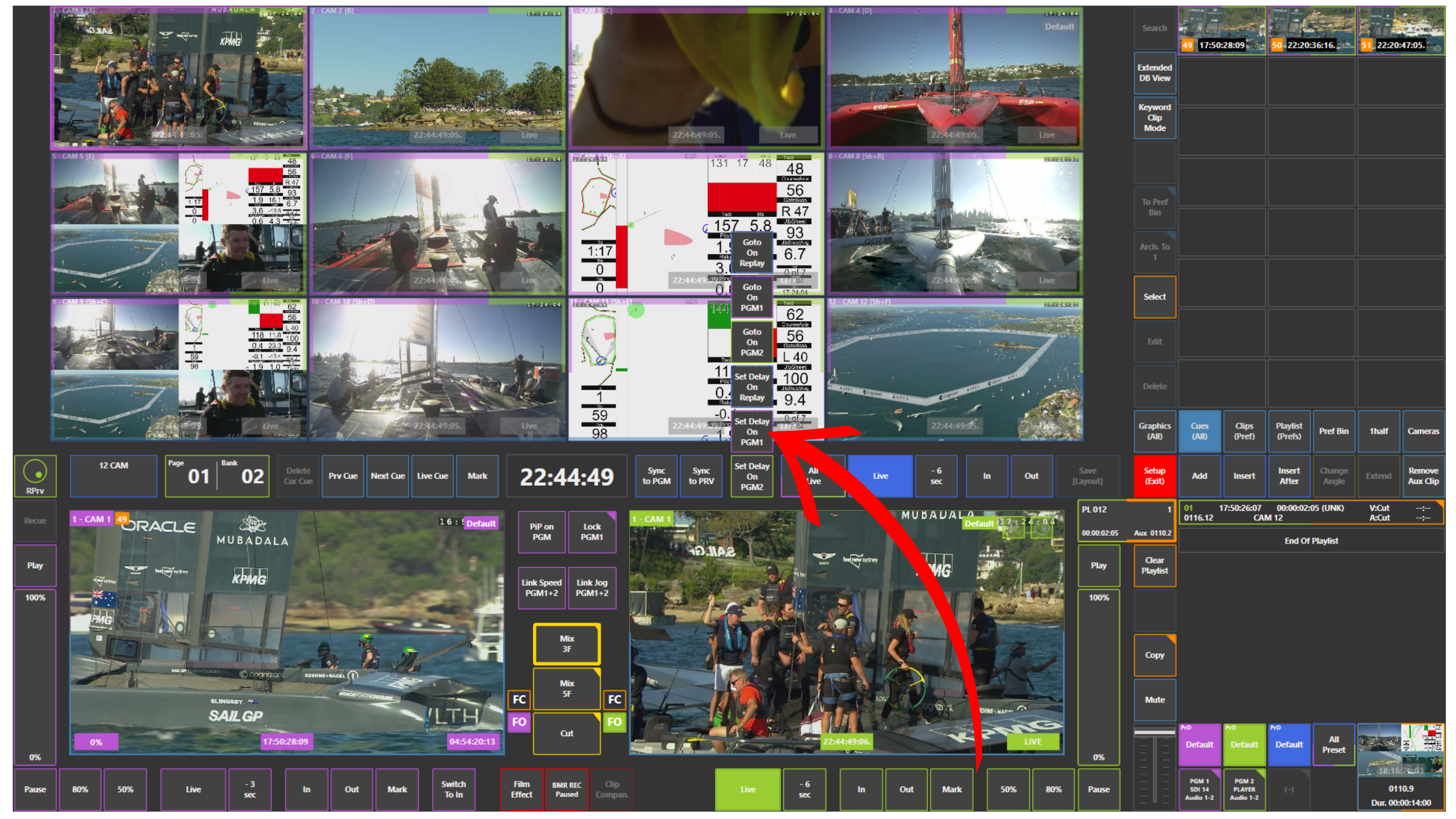
How to Set Delay
To set delay on Program or Preview / Program 2 (PGM2):
-
Use the Set Delay panel located in the middle of the screen, on the right side of the timecode
Adjust the delay to the required value.
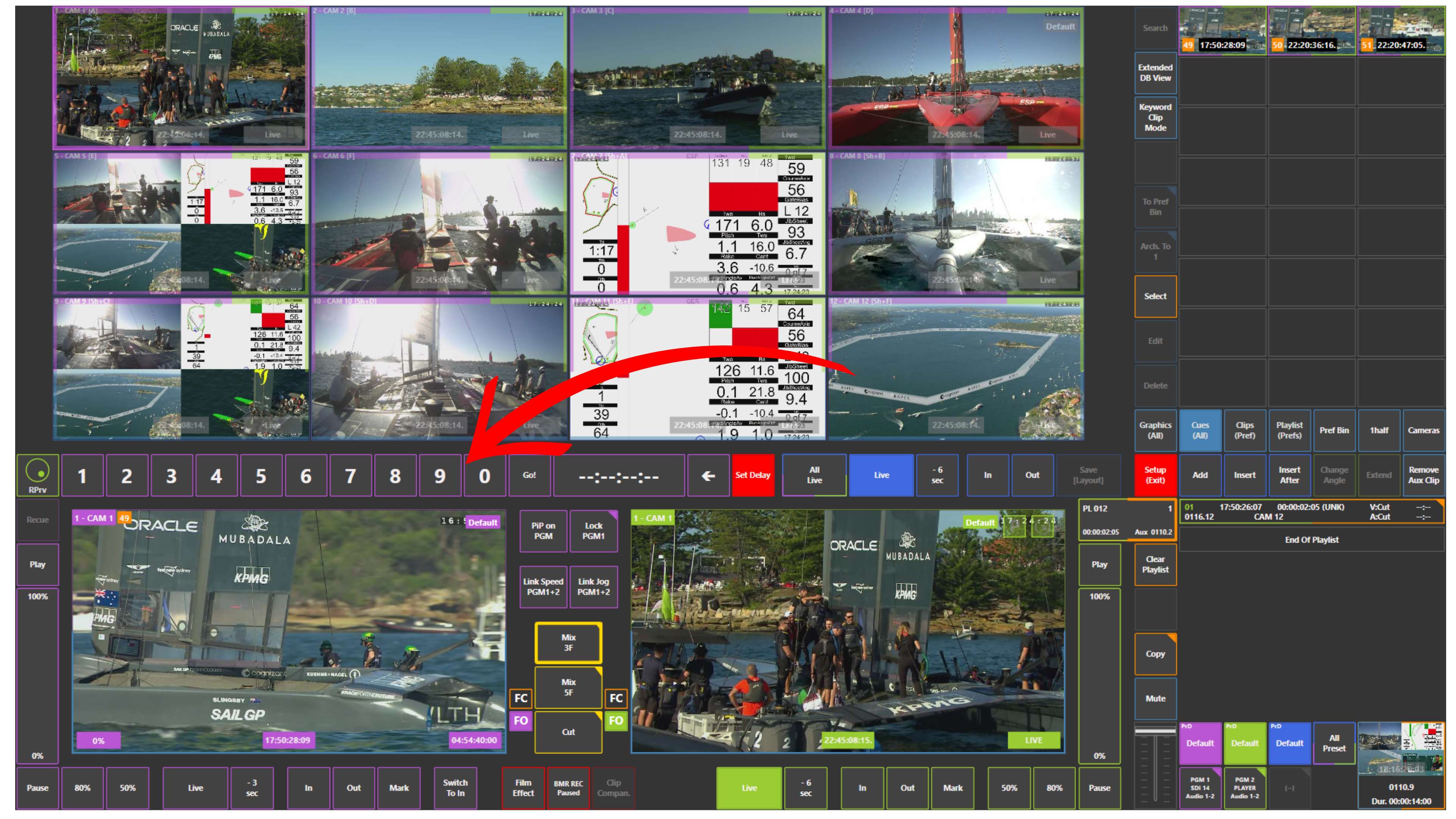
Pro Tip
Delay is widely used in live production for content control, compliance, and broadcast safety. It allows you to stay in control of what goes on air at all times.