
When working in Program / Preview mode, the TAKE key allows you to send the Preview output (PRV CTL) to the Program output (PGM1). This makes it possible to build and control a sequence of replay angles during a replay session.
If you want to use the TAKE key using only the touchscreen, it is very simple.
Info
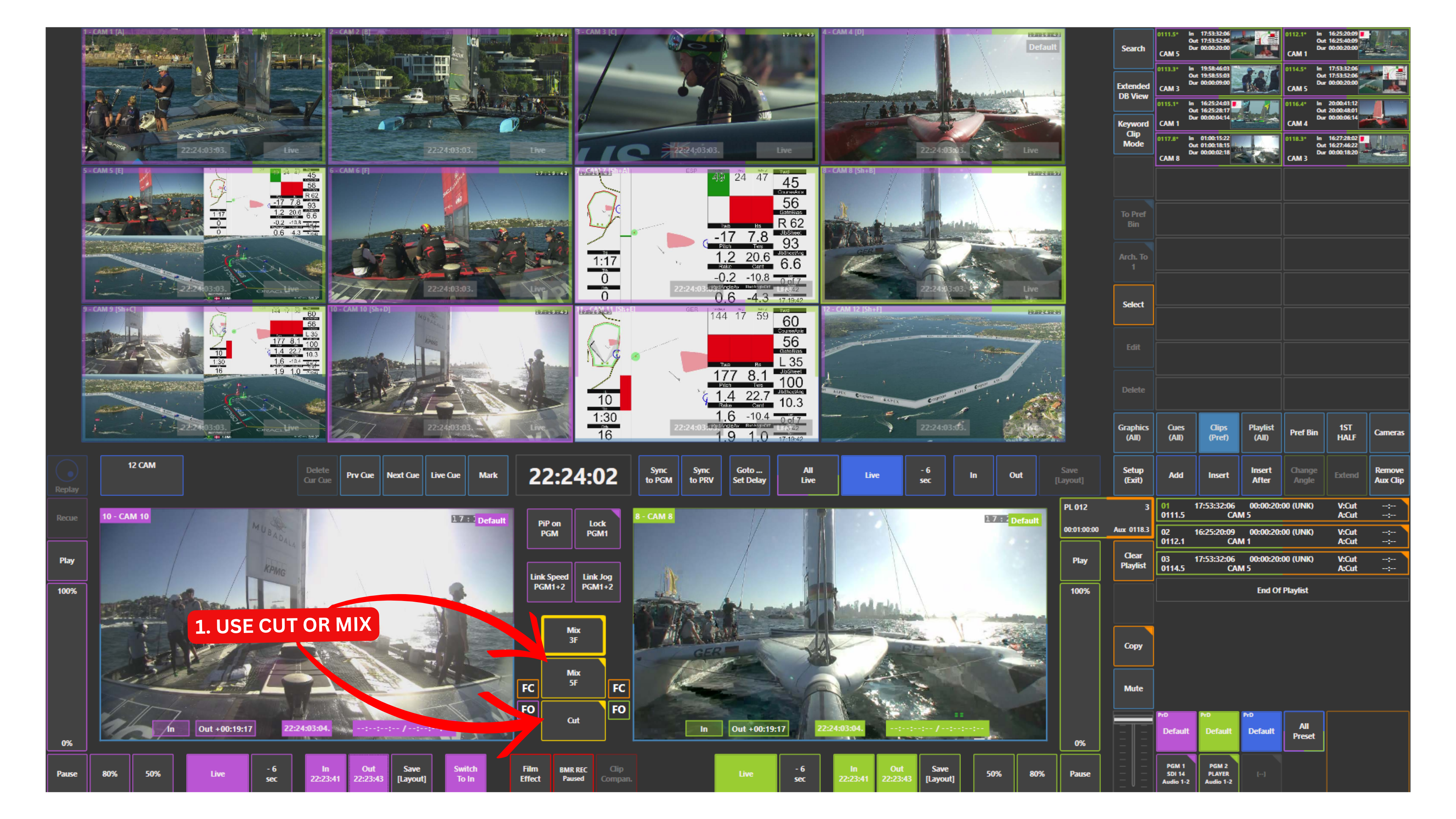
The TAKE key on the replay controller is represented by the CUT and MIX panels on the touchscreen.
How to Use TAKE with Touchscreen
-
Load your first replay on Program
-
Select the next camera by touching the right side of the input to load it into Preview
-
Use the CUT or MIX panel (located in the middle of the screen) to send Preview to Program
-
CUT switches instantly from Preview to Program
-
MIX applies a transition (configurable in Setup → Prefs)
You can repeat this process to build a sequence of replay angles.
Warning
Try to avoid touching the left side of the input, as it will send the replay directly to Program without preview.
Building Replay Sequences
Building replay sequences with the touchscreen is a natural extension of using TAKE / CUT.
You start by loading your first replay on Program. Then, you select another camera, for example Camera 2, by touching the right side of its input to bring it to Preview. Press CUT, and Camera 2 is now on Program. Next, you can choose another angle, for example Camera 5, again by touching the right side of the input to load it into Preview, and press CUT to take it to Program. You can continue this process with additional cameras, such as Camera 7 for a reaction shot, by selecting it on the right side, loading it into Preview, and pressing CUT or MIX to bring it on-air.
This allows you to build smooth and controlled replay sequences using only the touchscreen.
Info
You can also touch the left side of an input to send it directly to Program. However, this should be used carefully, as it bypasses Preview and may lead to unintended on-air output.
Pro Tip
Using the touchscreen to load inputs into Preview and switching with CUT allows you to build replay sequences quickly and efficiently without using the replay controller.