
Removing clips from a playlist is very simple.
-
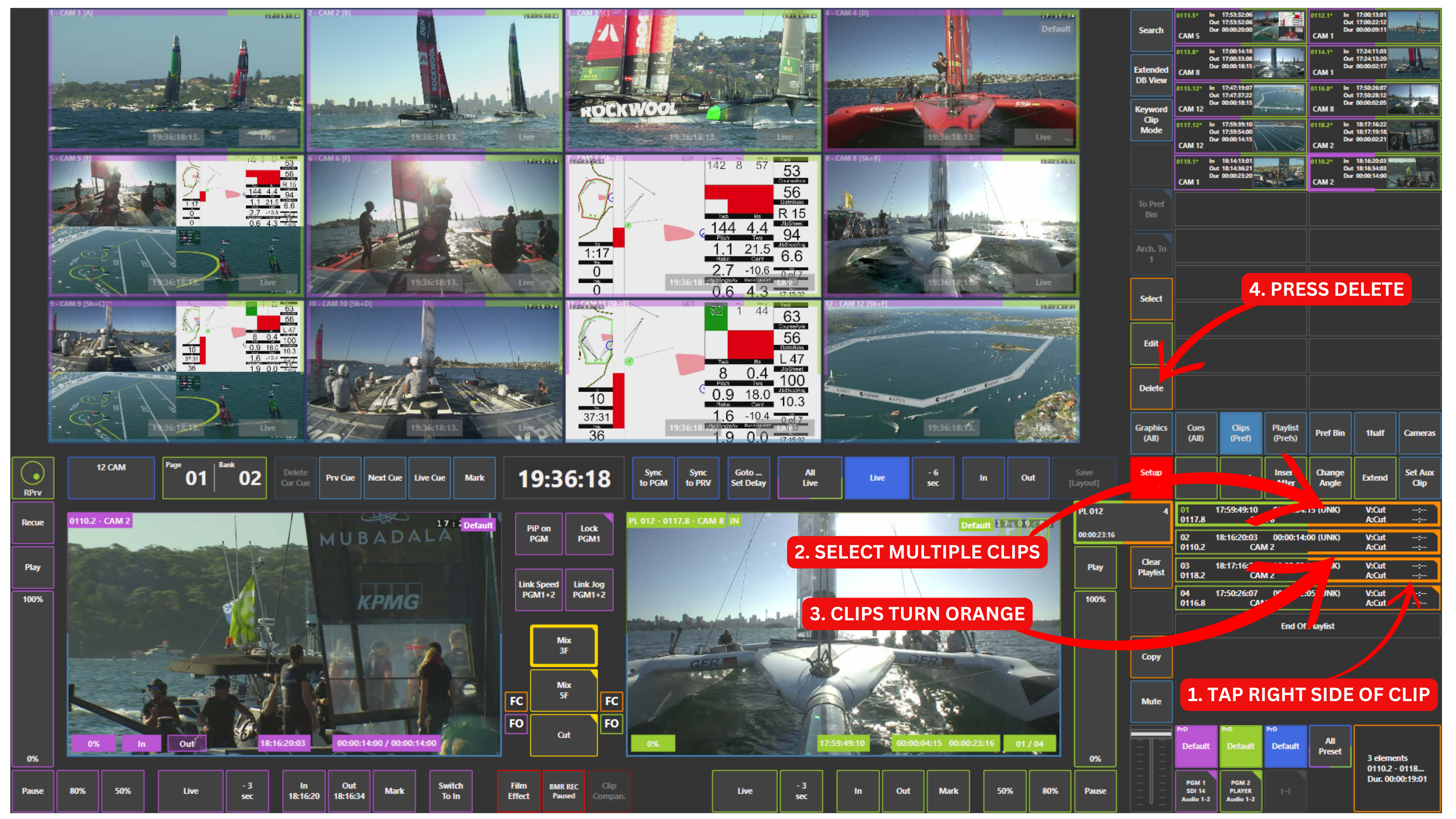
TAP RIGHT SIDE OF PLAYLIST ITEM
-
SELECT ONE OR MULTIPLE CLIPS
-
CLIPS ARE HIGHLIGHTED (ORANGE BORDER)
-
PRESS DELETE
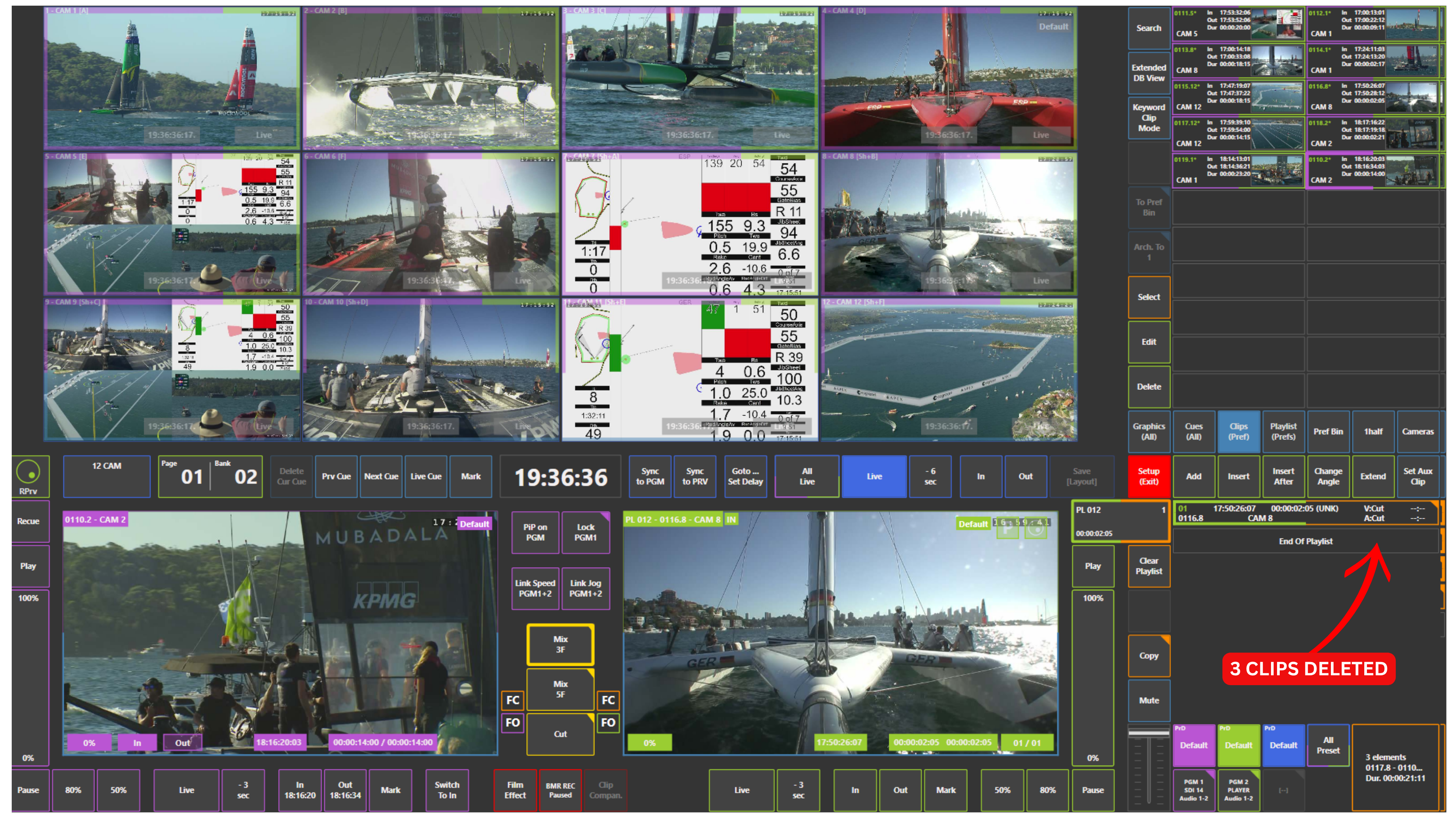
You can select multiple clips in the same way and delete them all at once.
Info
Using the touchscreen, you can delete multiple clips at once from a playlist.
On the replay controller, clips are typically removed one at a time.
Pro Tip
Select multiple clips from different parts of the playlist and press Delete.
Using the touchscreen is much more direct and efficient than browsing with the replay controller to find and remove clips individually.