
To edit clips, start by accessing the Clips panel located in the upper right section of the interface.
How to Edit a Clip
-
Open the Clips panel
-
Touch Select
-
Choose the desired clip by touching it
-
Touch Edit
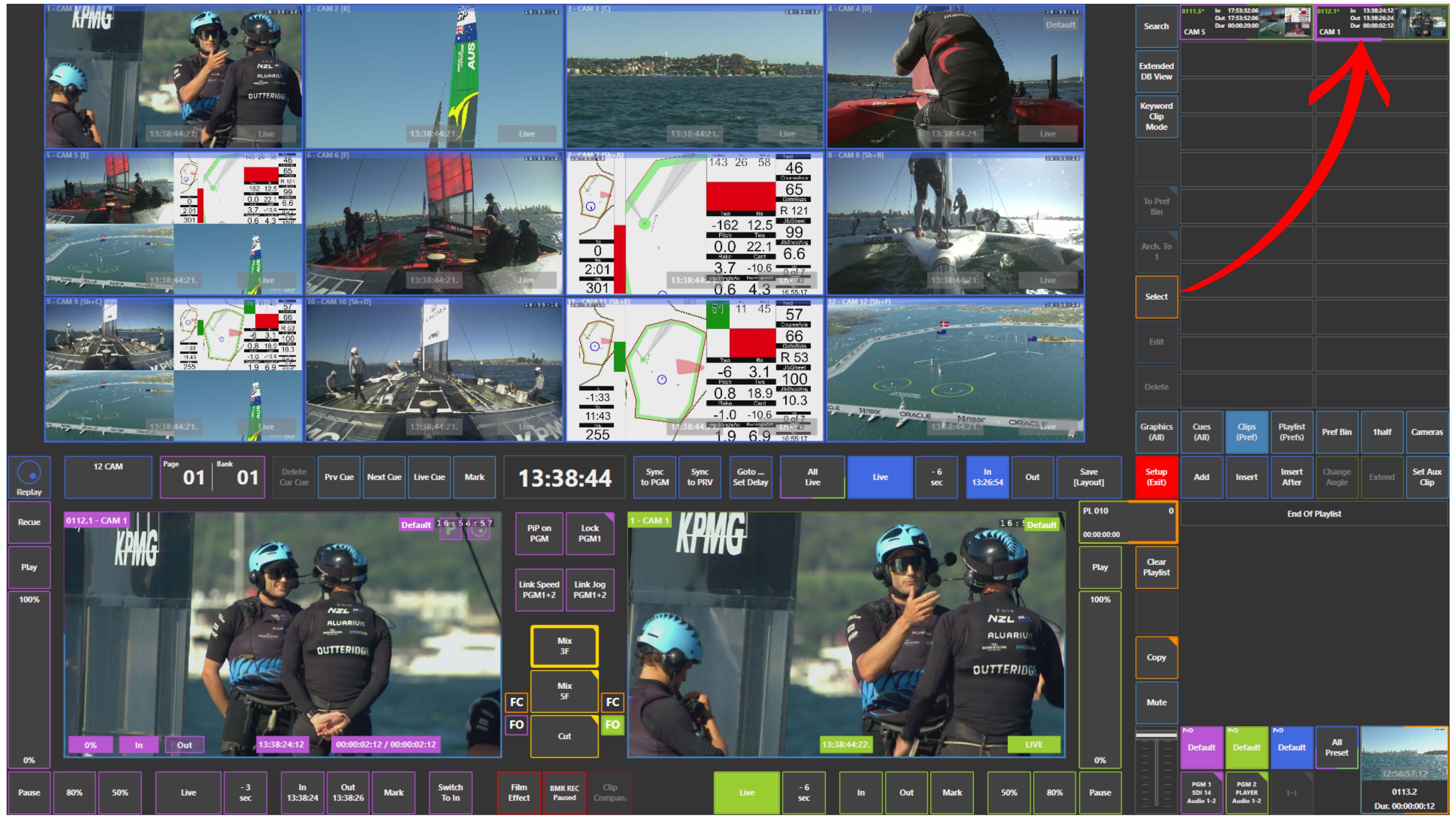
Once selected, the Edit window will open.
Edit Window Functions
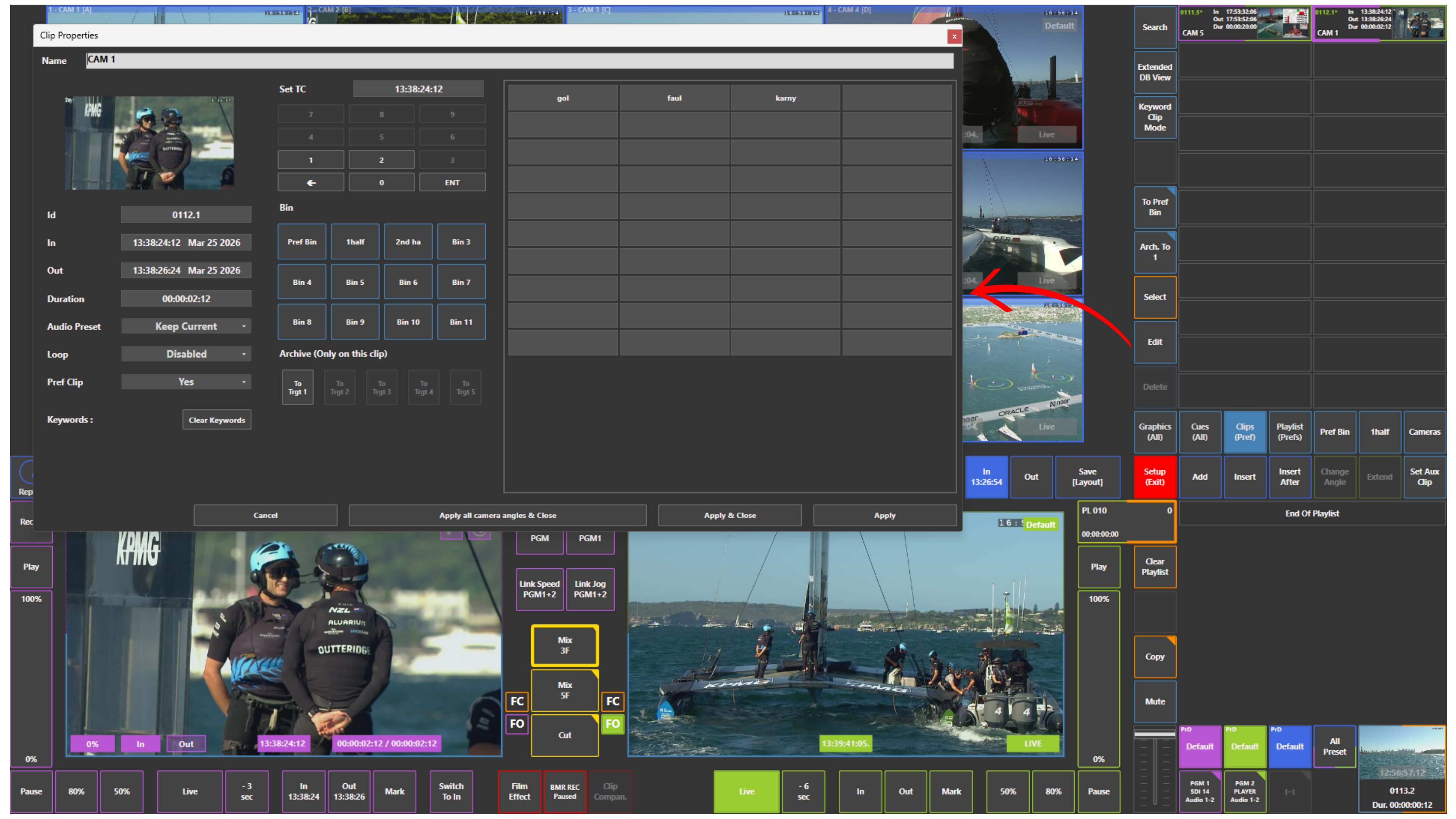
The Edit window provides multiple options to manage and organise your clip:
-
Rename the clip
-
Assign or modify keywords
-
Adjust clip metadata
-
Prepare the clip for easier identification and retrieval
This allows operators to quickly organise content during live production and maintain a clean and efficient workflow.
Pro Tip
Use keywords and clear naming conventions while editing clips.
This will significantly speed up clip retrieval later, especially when working under pressure or handling large numbers of clips during a live event.