
There is no dedicated touchscreen function equivalent to ESC on the replay controller.
This means there is no direct way to exit a clip and return to the exact moment in the record train outside of the clip’s guardbands.
Workaround Using Mark and Cues
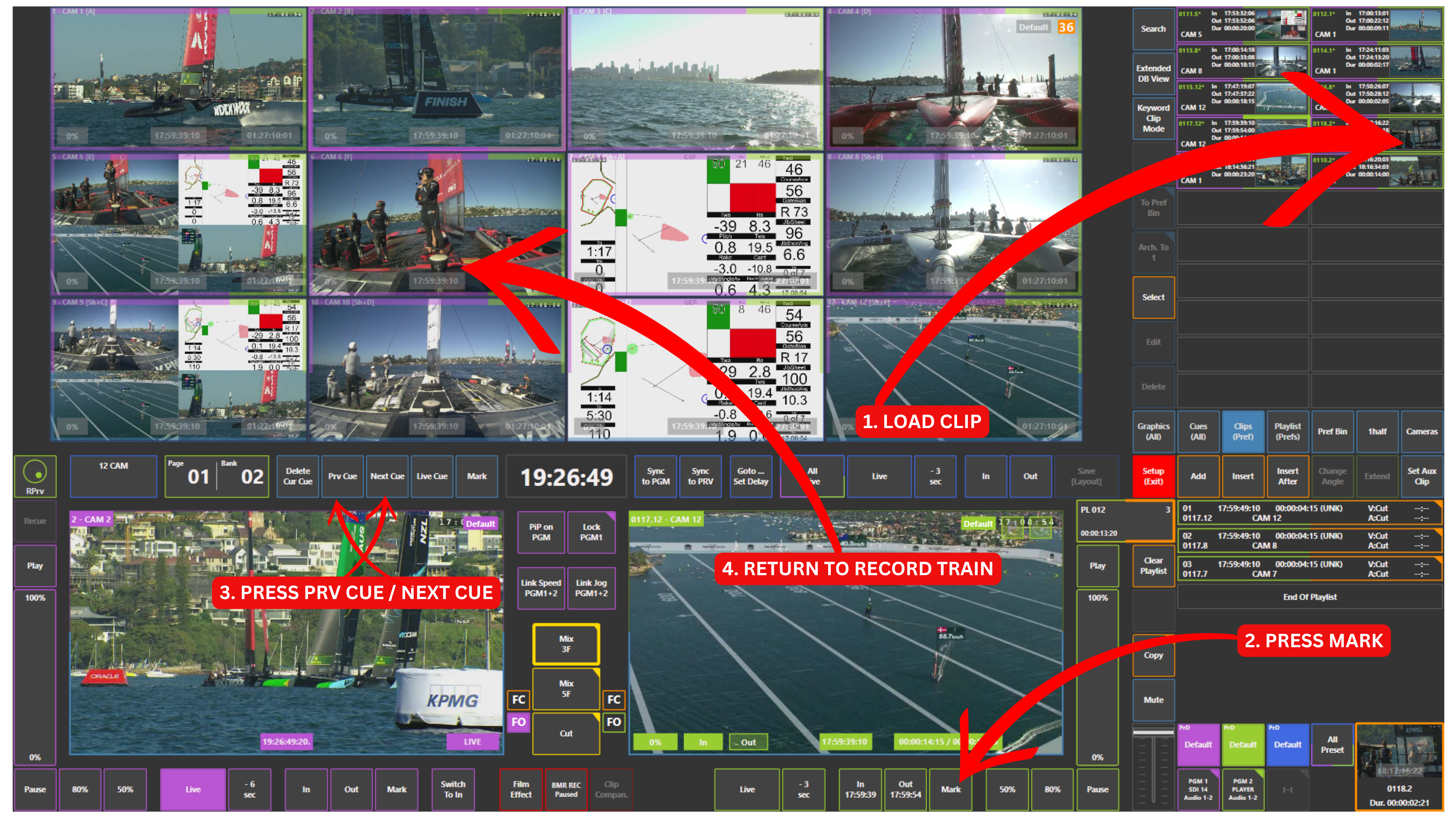
You can work around this by creating a cue point:
-
Load the clip
-
Press Mark
-
Use Prv Cue or Next Cue to jump back
This creates a cue point that is not limited by the clip guardbands and allows you to continue working on the record train.
Pro Tip
👉 Same moment + same input (no guardband limits)
Pro Tip
Use Mark as often as possible during production.
Mark key moments like goals, incidents, or important actions so you can instantly come back to them when needed.