
Using marks is an efficient way to tag important actions or moments during an event.
Marks allow operators to quickly identify key moments and return to them later during replay or analysis.
Creating and Recalling Marks
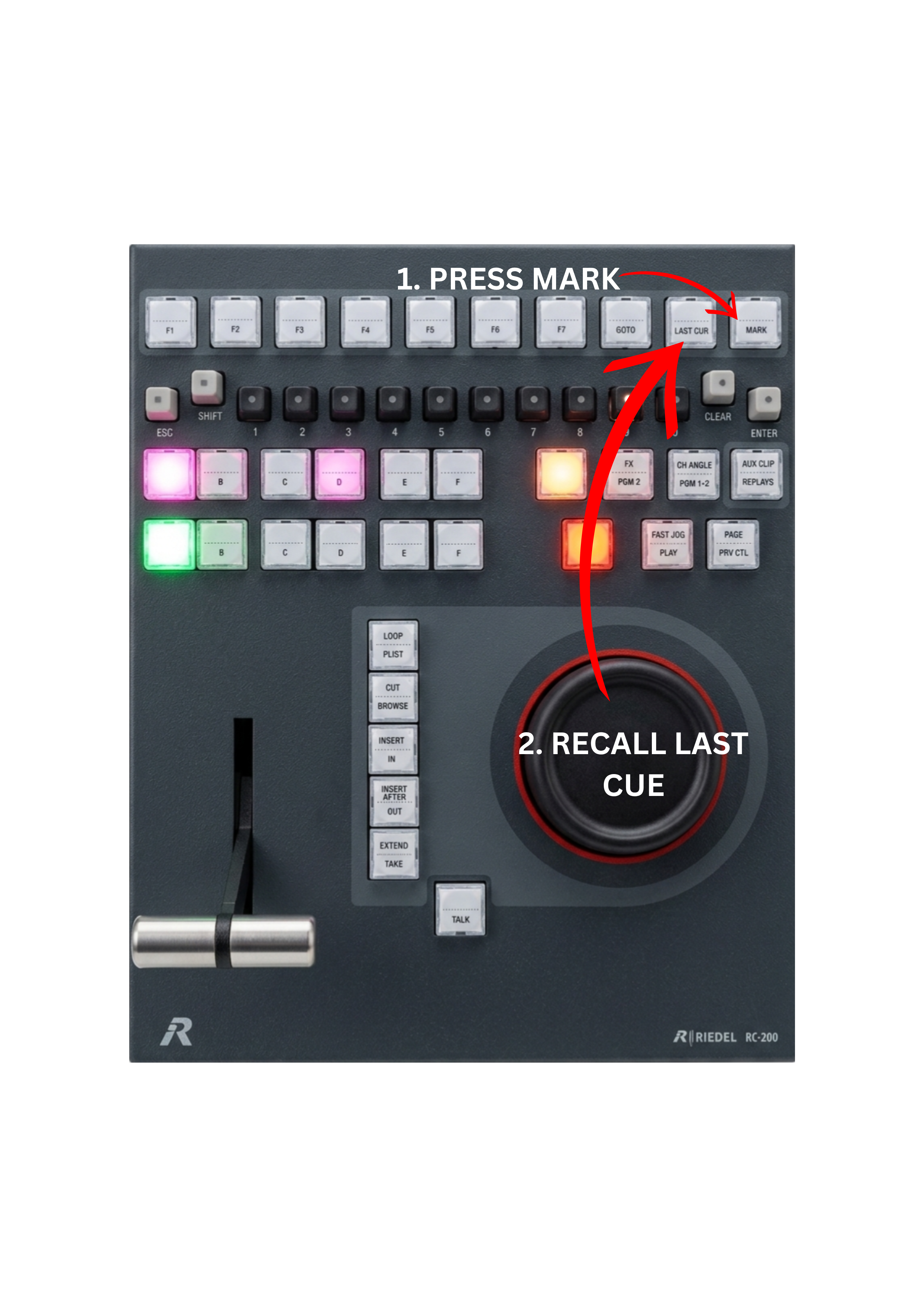
To create a mark:
-
Press the MARK key
To recall the last mark:
-
Press the LAST CUE key
Use Case – Live Production Scenario
You can place marks at any time during operation.
For example:
-
mark a moment on PGM1 during playout
-
mark another moment on PGM2 / Preview
-
mark actions while browsing the record train
You can also use the REPLAYS function and place marks on live inputs or past moments while reviewing the action.
Pro Tip
Use marks to tag the most important moments in the event, such as:
-
goals
-
fouls
-
crashes
-
key actions
These marks allow you to quickly return to critical moments for replay or analysis.