
The FAST JOG key allows operators to move through the record train or a clip much faster than with normal jog speed. This is useful when searching quickly for a specific moment in the action.
Fast Jog multiplies the normal jog speed, allowing rapid navigation through recorded material.
The fast jog speed multiplier can be configured in Setup → Prefs, accessible from the touchscreen GUI.
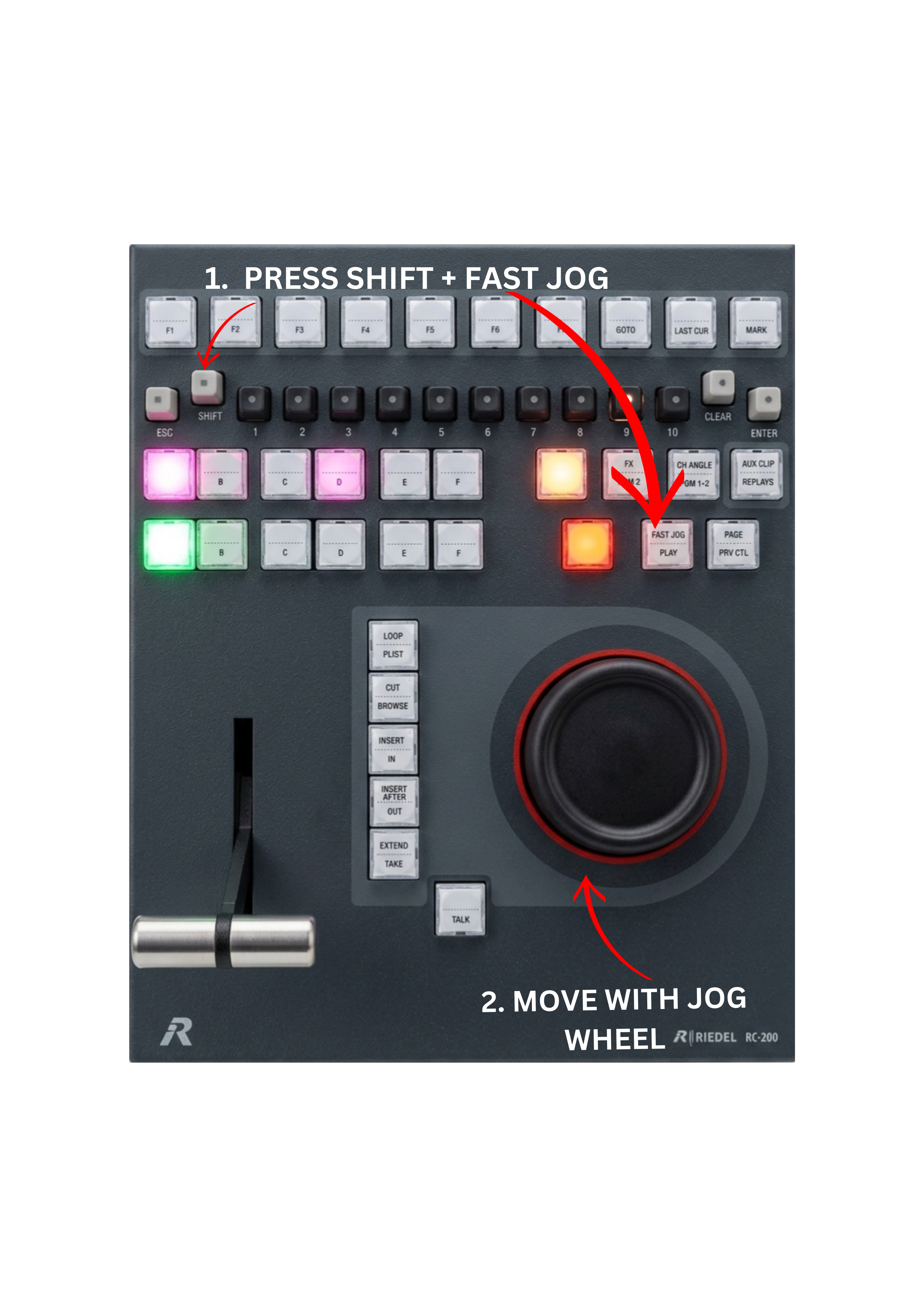
To use Fast Jog:
-
Press SHIFT + FAST JOG.
-
Use the JOG wheel to move forward or backward through the record train or clip at high speed.
Pro Tip
Fast Jog is a tactical way of quickly moving back and forth through the record train when searching for important moments in the action, such as goals, fouls, crashes, or other key highlights.