
In many broadcast production scenarios, communication with the vision switcher, director, or producer requires operators to reach for a separate intercom panel, which can interrupt the workflow during fast-paced live production.
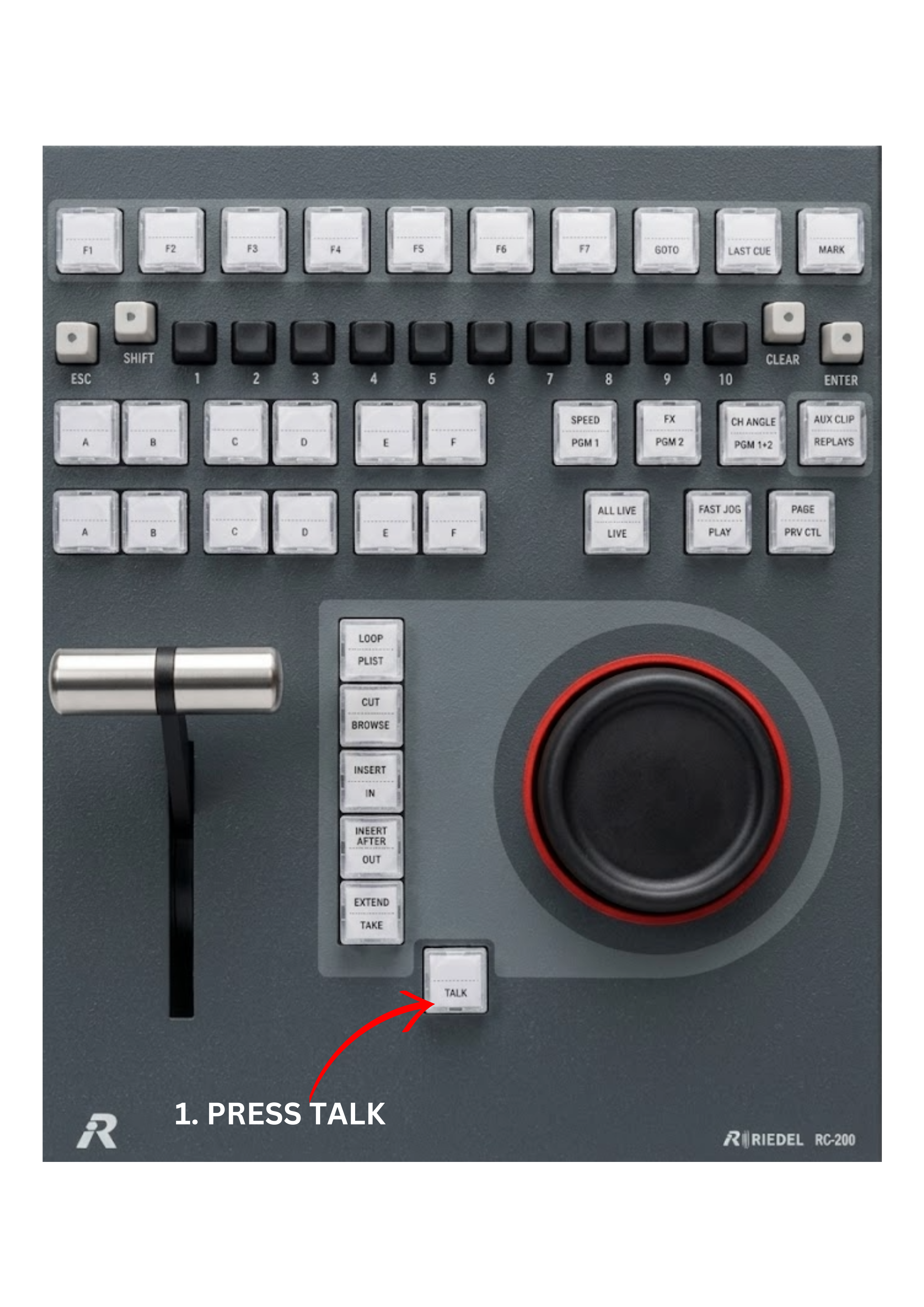
In SimplyLive, the Replay Controller allows the intercom system to be integrated directly into the controller through the TALK key.
This means operators can communicate with the production team without removing their hands from the controller.
To speak through the intercom, simply press the TALK key while operating the system.
This integration allows operators to stay fully focused on the replay workflow while maintaining clear communication with the production team.
Info
Integrating the intercom function directly into the Replay Controller helps streamline communication during live production. Operators can react faster to instructions from the director or vision switcher without interrupting their replay operation.
Warning
To use the TALK key, the intercom integration must be correctly configured on the server.
If the system is not set up, the TALK function will not operate.