
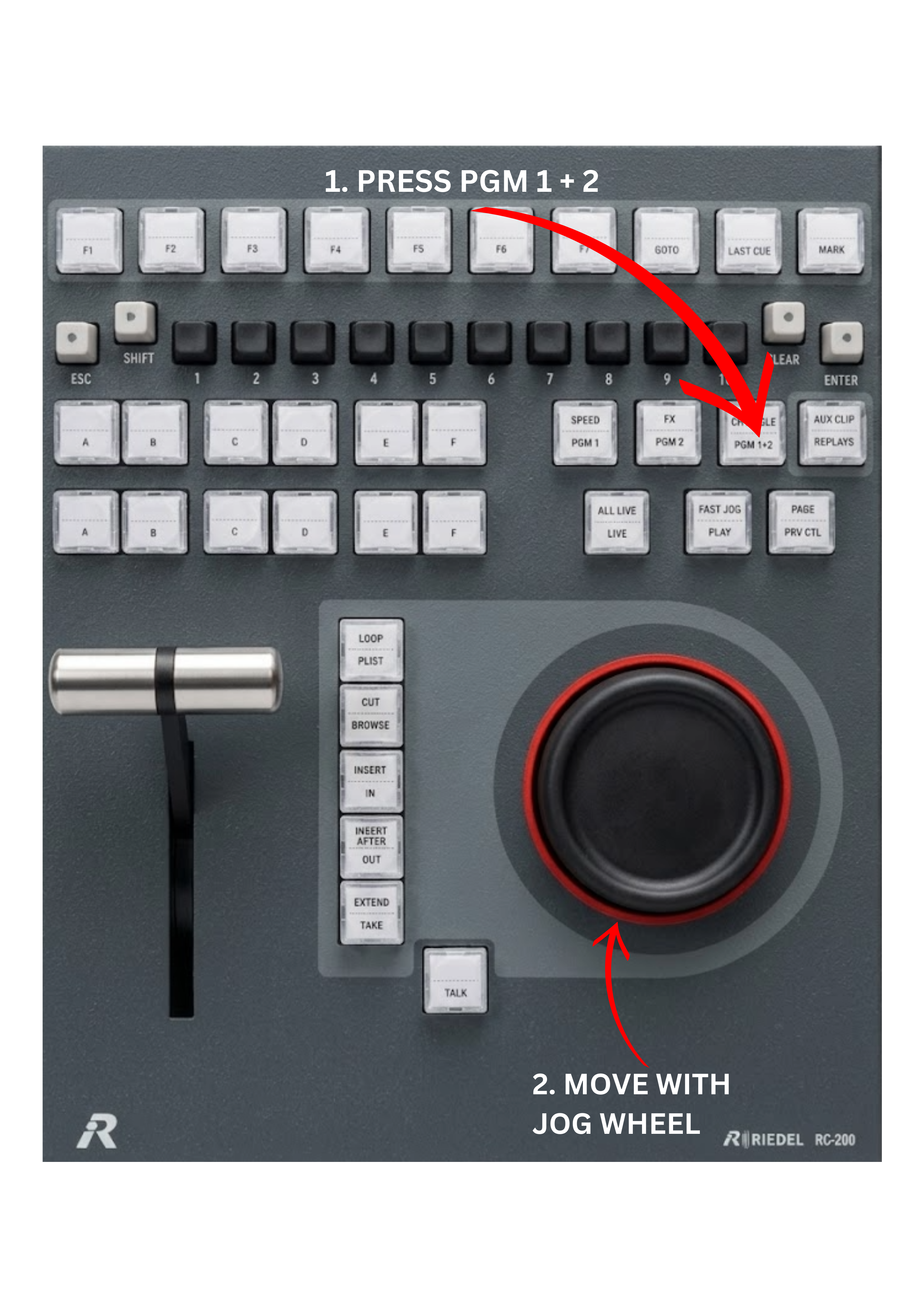
The PGM 1 + 2 key allows operators to gang both output channels together, linking Program 1 (PGM1) and Program 2 (PGM2) so that they operate in synchronisation.
When this mode is enabled, both outputs respond to the same control actions.
To use this function:
-
Press the PGM 1 + 2 key.
-
PGM1 and PGM2 outputs will now be linked.
-
Use the JOG wheel or playback controls as usual.
When the outputs are ganged:
-
If you go to LIVE, both outputs will return to the live position together.
-
If you scroll backward or forward through the record train, both outputs will move simultaneously.
-
If you play clips, both outputs will run in perfect synchronisation.
You can also load two different clips, one on PGM1 and another on PGM2, and control their playback position together using the JOG wheel.
Pro Tip
The PGM 1 + 2 function is particularly useful when working with fill and key signals, for example when controlling graphics or wipe transitions.
By loading the fill signal on one output and the key signal on the other, both channels remain perfectly synchronised during playback, ensuring that graphic overlays or transitions remain correctly aligned on air.
Warning
When working with fill and key clips, always make sure they are clearly named and correctly paired. This prevents situations where the fill signal comes from one clip and the key signal from another, for example using the fill from Clip 1 and the key from Clip 3, which would result in incorrect graphics on air.