
Manage Return Signal Banks
Overview
A Return Signal Bank stores channel names, parameter assignments, and In and Out slider values. Use Banks to switch between prepared arrangements without rebuilding each channel.
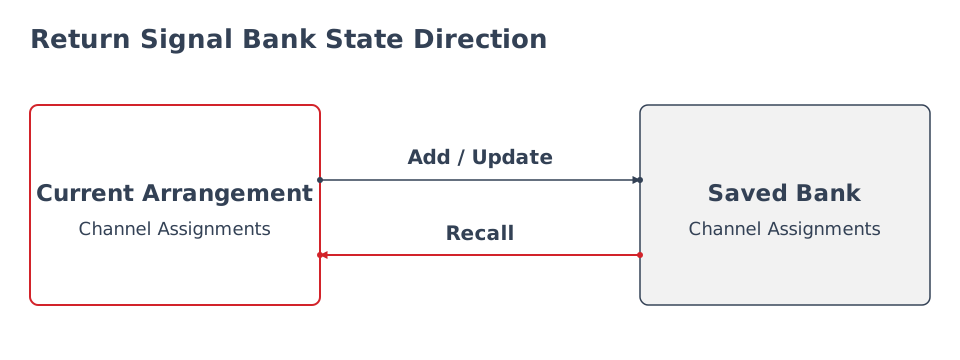
Add stores the current arrangement as a new Bank. Update replaces the selected saved Bank with the current arrangement. Recall replaces the current arrangement with the saved Bank's channel assignments, and loads the saved slider values as defaults. Check the resulting values on controlled devices.
Prerequisites
-
The Return Signal Widget is available to your account.
-
Its channels have been configured and checked.
-
You know which arrangement should be retained or recalled.
Save an Arrangement
-
Open the Return Signal Widget.
-
Review the current channels and parameter assignments.
-
Open the Bank drawer using the Widget header's menu icon. The icon is not shown on small viewports or while the Widget is opened only for editing.
-
Select the plus button at the end of the Bank list.
-
In Add current state as new Return Signal Bank, enter Bank Name.
-
Select Add.
-
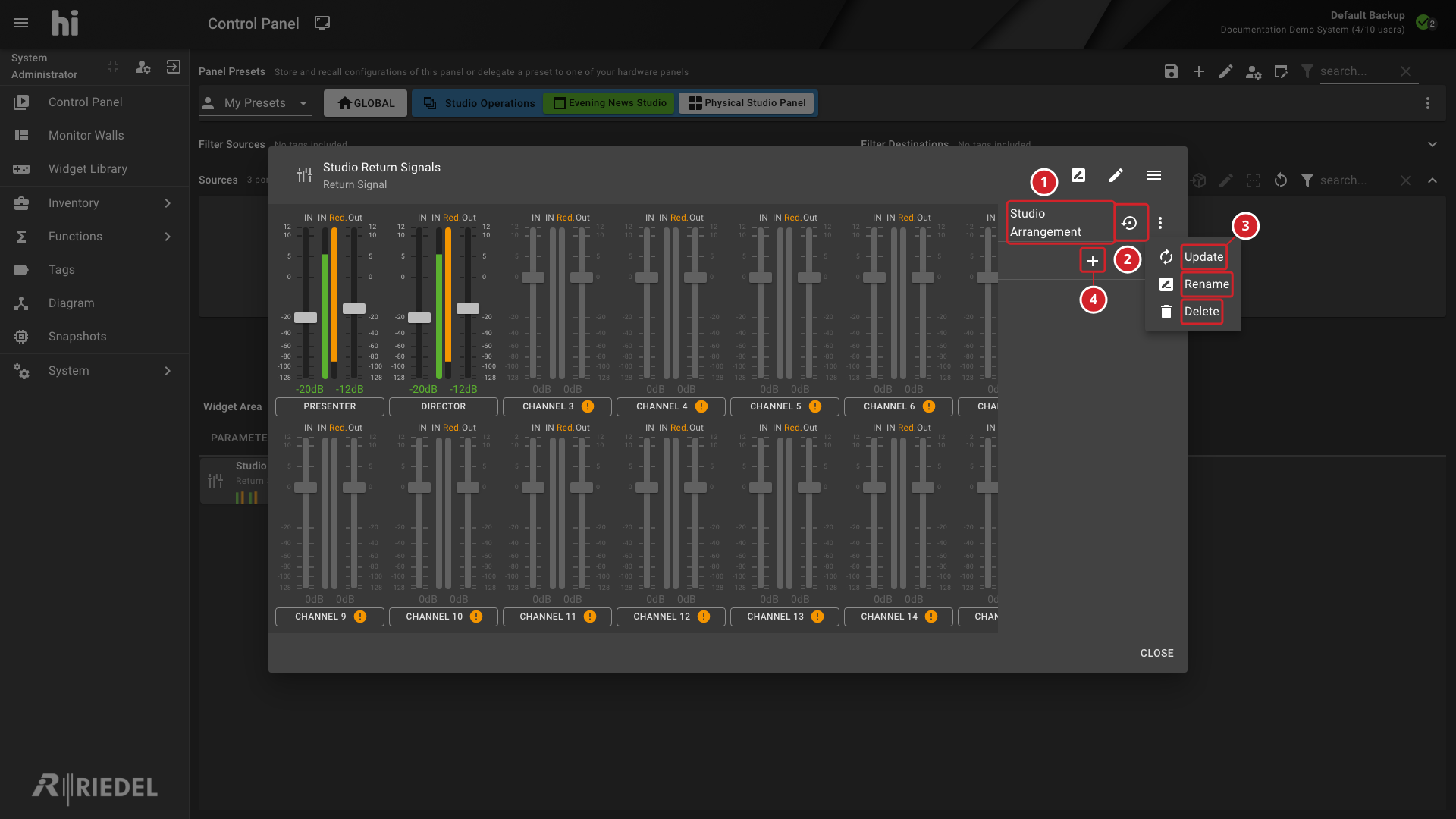
The Bank list identifies the saved channel arrangements.
-
A Bank's recall icon opens its recall confirmation.
-
The Bank's menu provides Update, Rename, and Delete.
-
The plus control opens the dialog for saving the current arrangement as a new Bank.
Recall or Update an Arrangement
Caution
Recalling a Bank replaces the Widget's current channel assignments with the saved arrangement. Save the current arrangement first if it must be retained.
To recall a Bank, select its recall icon, check the Bank name, then select Recall.
To replace a saved Bank with the current arrangement, open that Bank's menu and select Update. Check the Bank name before confirming Update.
Use Rename to change a Bank's name. Use Delete only after checking that the selected Bank is no longer required.
Bank selection or highlighting alone does not confirm that every controlled device parameter has reached its intended value.
Verify the Result
Check the Bank name and the resulting channel names and assignments. Review the displayed parameter values before operating the sliders.
Next Steps
-
Configure a Return Signal Widget to inspect individual channel bindings.