
Add Destination Ports to a Snapshot
Overview
Extend the saved connection scope with selected Destination Ports.
Prerequisites
-
Use an account with the Snapshot admin role and Tag access to the intended Destination Ports.
-
Open Snapshots.
Add Destination Ports to a Snapshot
Caution
Add and update replaces selected saved connections with current live routes. Review the affected scope and preserve any saved values you still need before confirming an update.
-
Open the Snapshot's Connections tab and select Add ports to open the Port Picker.
-
Filter the Destination list by Tags or text, or switch to By Node.
-
Select one or more Destination Ports.
-
Select Add to submit the Port Picker selection. If every selected Destination is new to the Snapshot, its current connection is stored immediately.
-
If the selection includes Destinations already in the Snapshot, choose whether to refresh their saved connections. Select Add to preserve existing connections, or select the connection component type and Add and update to replace them with the current state.
Only information from online Nodes is stored. Existing saved connections are refreshed only when you choose to update them.
Use Create a Snapshot from Selected Ports to save additional component types.
Preserve Existing Saved Connections
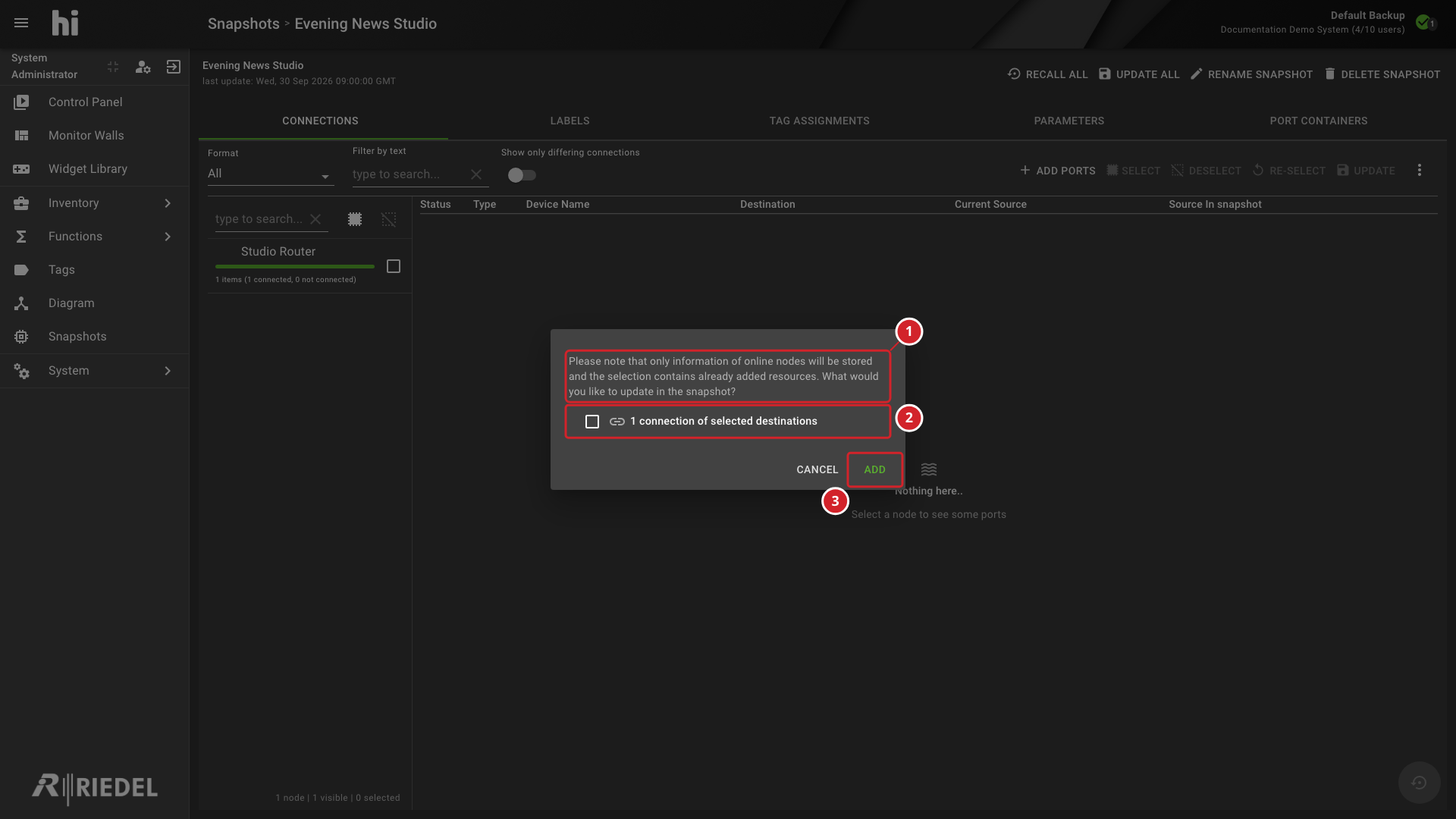
When a selected Destination is already in the Snapshot, leave the connection component unchecked and select Add to preserve its saved connection while adding any new Destinations.
-
The warning explains that the selection includes already-added resources and that only information from online Nodes is stored.
-
1 connection of selected destinations is unchecked, so the existing saved connection is not refreshed.
-
Select Add to preserve existing saved connections while adding new Destinations.
Update Existing Saved Connections
Caution
Add and update replaces the selected saved connections. Confirm that the current live routes are the values you want to retain before proceeding.
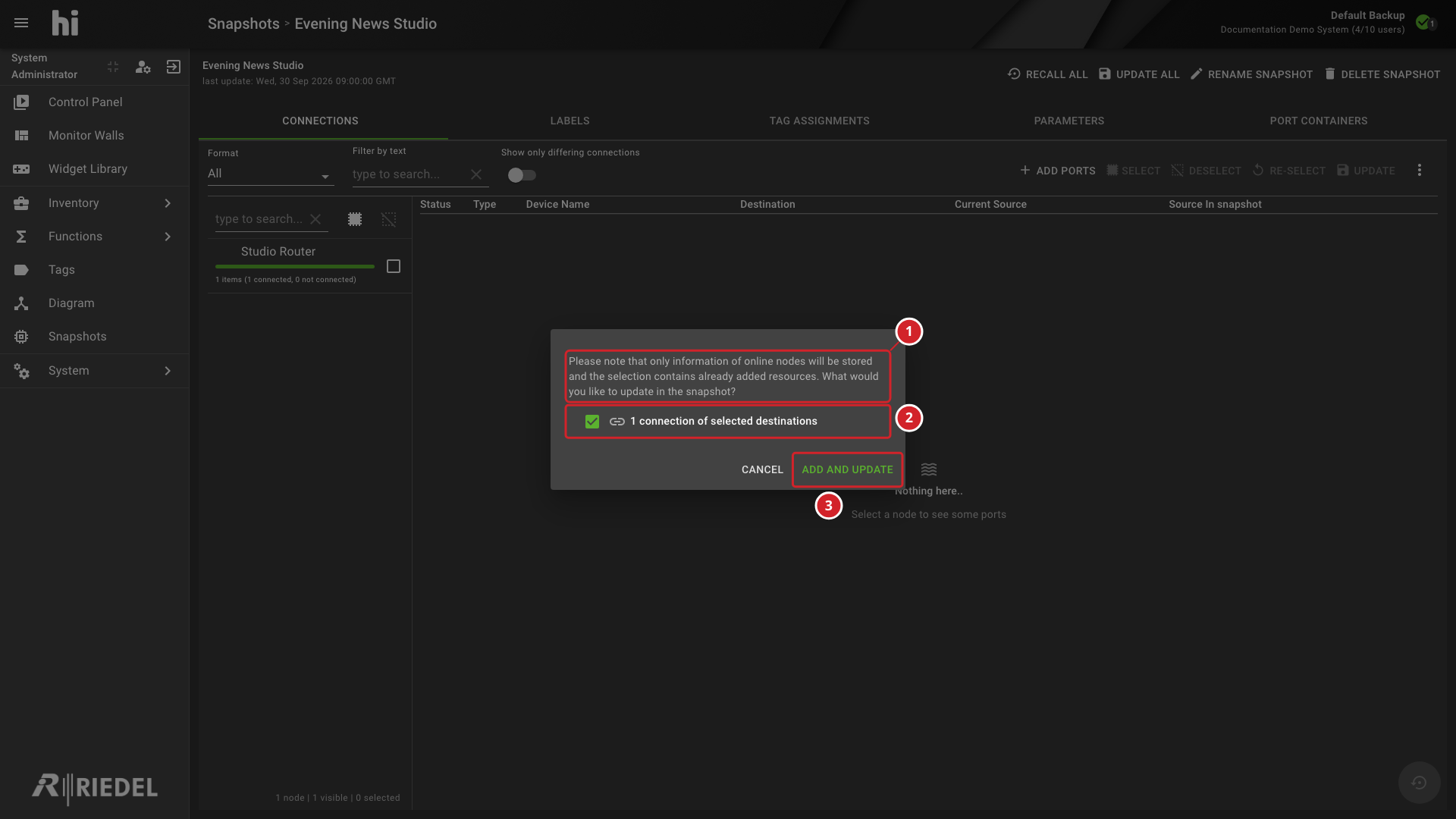
Select the connection component and Add and update when you intend to replace existing saved connections with their current values.
-
The warning explains that the selection includes already-added resources and that only information from online Nodes is stored.
-
1 connection of selected destinations is selected for update.
-
Select Add and update to refresh the existing saved connections and add new Destinations.
Verify the Result
Confirm the added Destinations and their captured Source connections in the Connections tab.
Next Steps
Return to the Manage Snapshots task list.