
Clone a Snapshot
Overview
Create a duplicate using either saved values or current live state.
Prerequisites
-
Use an account with the Snapshot admin role.
-
Open Snapshots.
Clone a Snapshot
-
Select Clone Snapshot on the required Snapshot row.
-
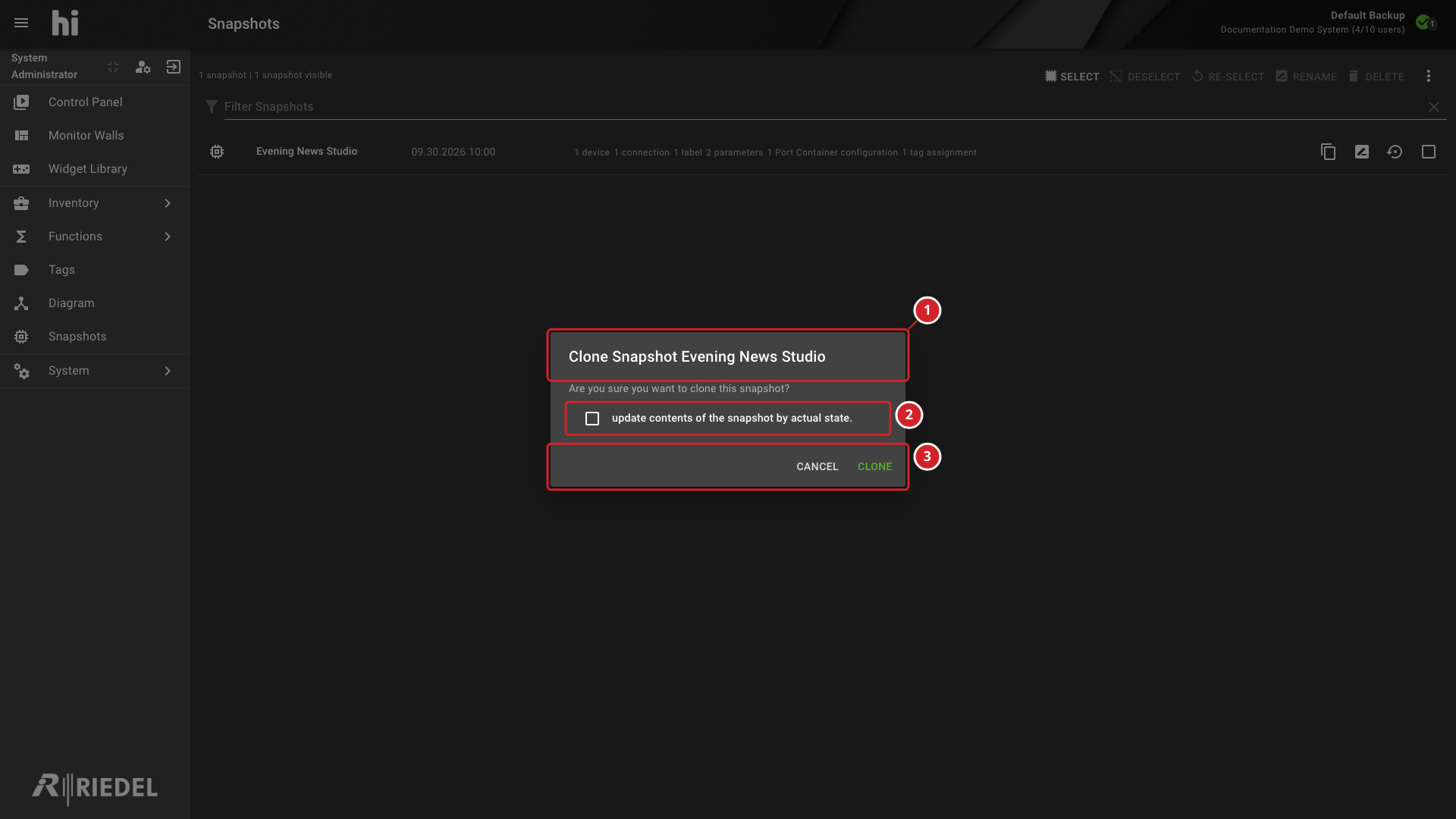
Set update contents of the snapshot by actual state. for the required result.
-
Select Clone to create the duplicate.
With the checkbox selected, the clone captures the same scope from the current system. Otherwise, it copies the saved values exactly.
-
The confirmation names the Snapshot being cloned.
-
Select or clear the option to update the clone from the actual current system state.
-
Select Clone to create the copy or Cancel to close the dialog.
Verify the Result
Confirm that the duplicate appears in the list and contains the intended saved values.
Next Steps
Use Rename a Snapshot to give the duplicate a distinct name.