
Recall Selected Snapshot Items
Overview
Apply only selected saved items to the live system.
Prerequisites
-
Use an account with the Snapshot admin role.
-
Open Snapshots and identify the Snapshot to change.
Caution
Recall changes the live system. Review the selected items before proceeding. Locked Destinations remain unchanged.
Recall the Selected Items
-
Open a Snapshot and navigate to any tab.
-
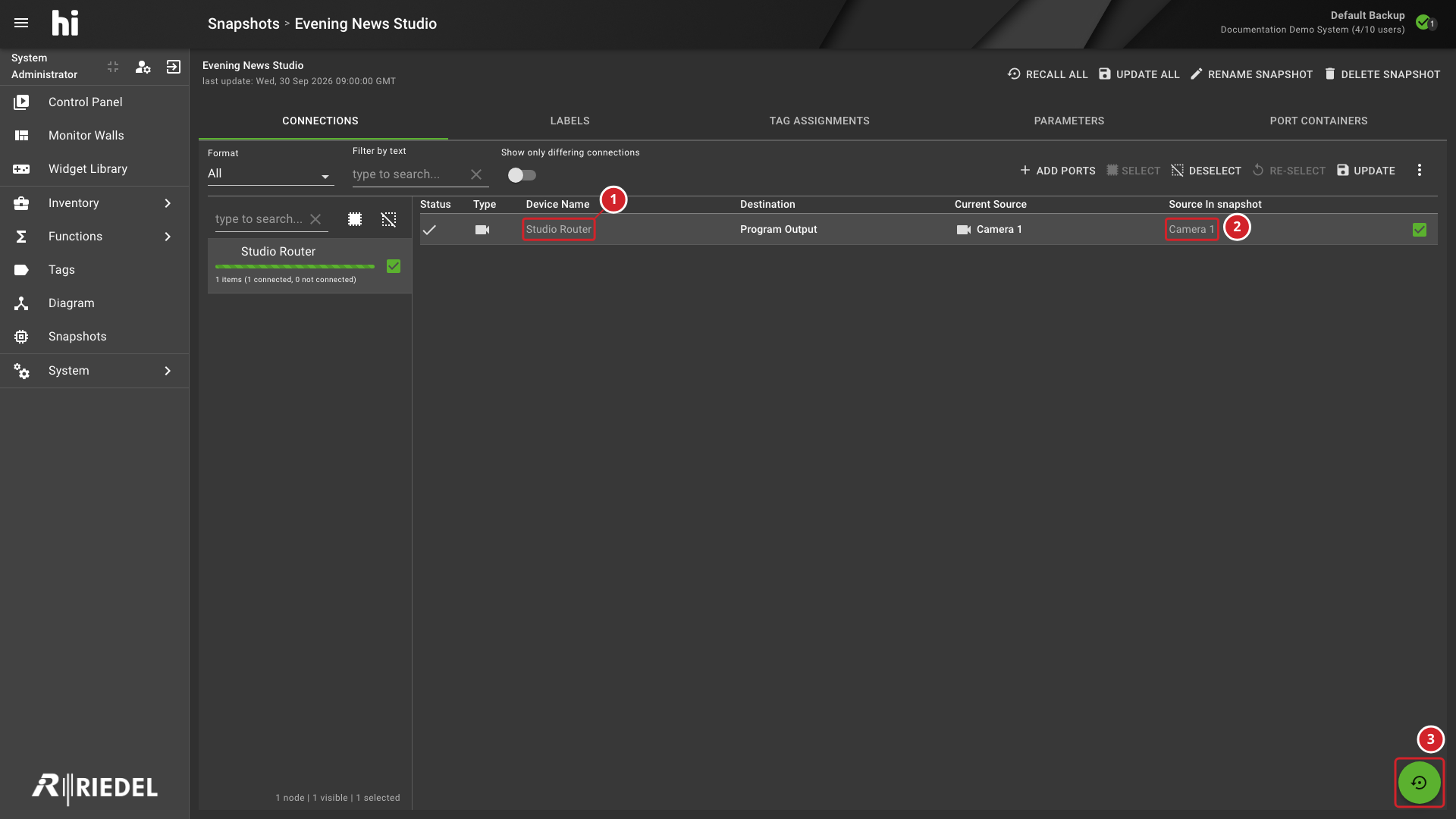
Select individual items using row checkboxes, or select all items for a device using the device-level checkbox.
-
Selections persist across tabs - selecting connections and then switching to Labels to select labels combines the selections.
-
Select Recall selected items at the bottom right of the details view.
-
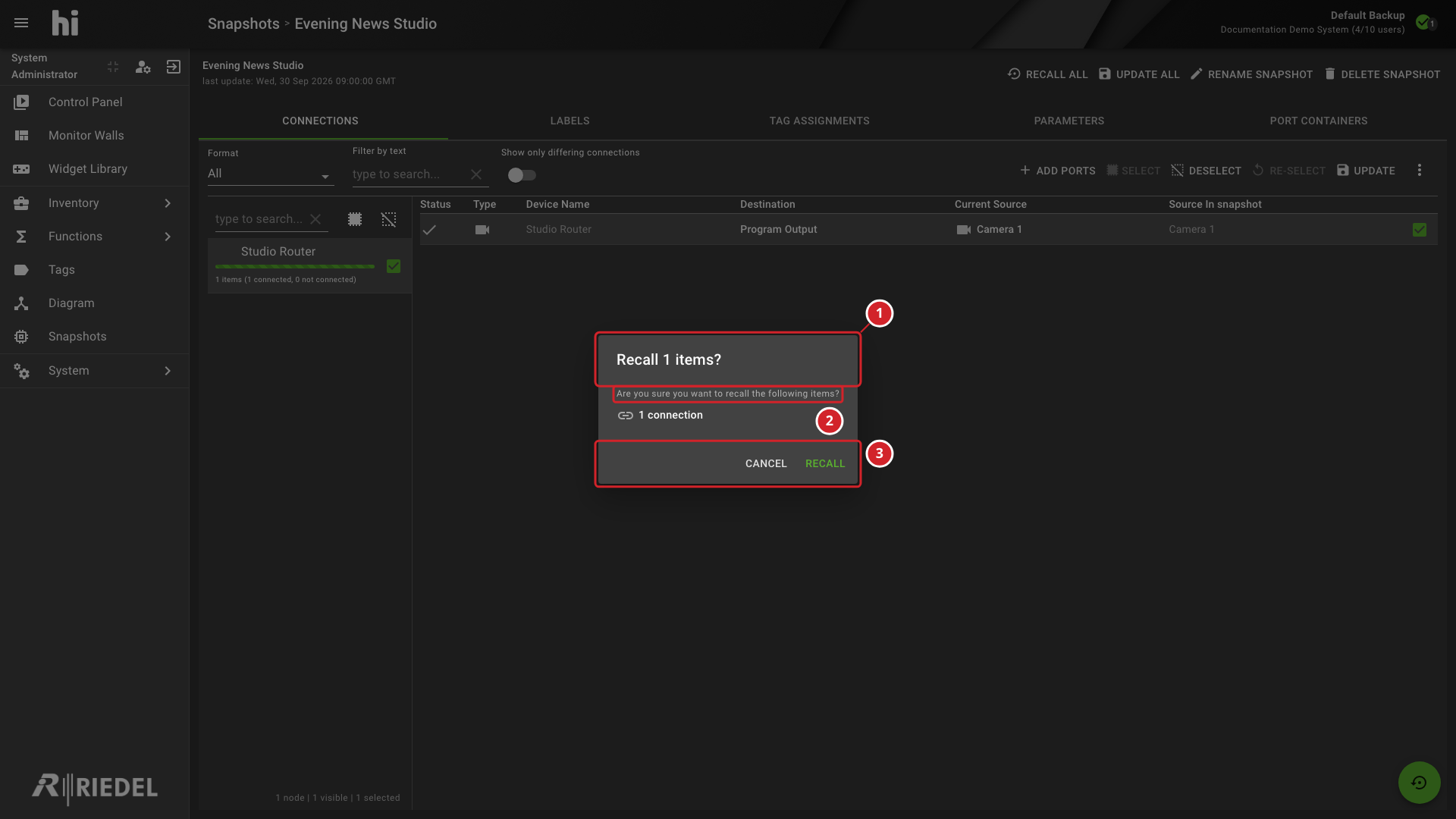
A confirmation dialog shows a summary of selected items grouped by component type (for example, "5 connections" and "labels of 3 Ports").
-
Select Recall to apply only the selected items.
Information
Recall selected items is enabled after at least one item is selected.
-
Studio Router is the selected device scope.
-
Camera 1 is the selected saved connection.
-
Recall selected items applies only the selected saved items after confirmation.
-
The confirmation identifies that selected items will be recalled.
-
Review the warning before applying saved values to the live system.
-
Select Recall to continue or Cancel to keep the live state unchanged.
Verify the Result
Confirm the recalled values in the relevant detail tabs. Verify that locked Destinations remain unchanged.
Next Steps
Use the Control Panel to verify the recalled routing and parameters.