
Assign Tags to Users
Overview
Grant or revoke Tag-based access to Ports and system objects.
Prerequisites
-
Use an account with the User admin role.
-
Open the Users list and identify the accounts to change.
Tags determine which Ports and objects a user can see and interact with on the Control Panel. The Tag Selector groups the available Tags by category.
If a required Tag is not available, add it first using Manage Tags.
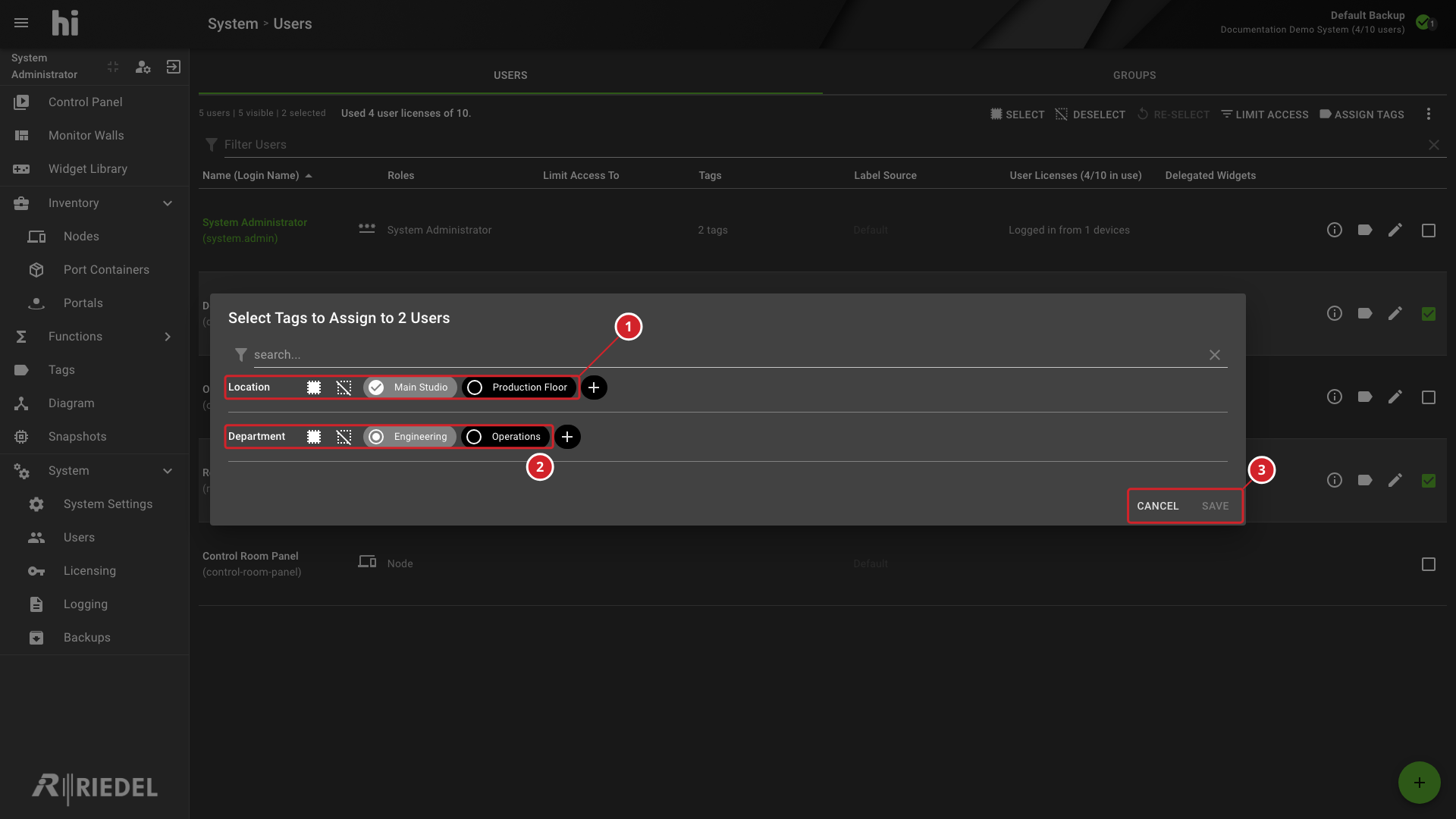
When multiple users are selected, Tags held by all selected users appear as fully selected. Tags held by only some of the selected users appear as partially selected.
Assign Tags
-
Select one or more users.
-
Select Assign Tags.
-
Select or deselect the required Tags.
-
Select Save.
-
Location shows the available Main Studio and Production Floor Tags.
-
Department shows the Engineering and Operations Tags; the selection state reflects the selected users.
-
Select Save to apply the selections or Cancel to discard them.
Verify the Result
Open Account Information for the affected user and confirm the effective settings. Sign in with a test account to verify access changes.
Next Steps
Use the Control Panel to check the account's Port visibility.