
Create a Local User
Overview
Create a password-based account and assign the roles required for its responsibilities.
Prerequisites
-
Use an account with the User admin role.
-
Open the Users list and decide the new account's login name and required roles.
Create the Account
-
Select the + button at the bottom right.
-
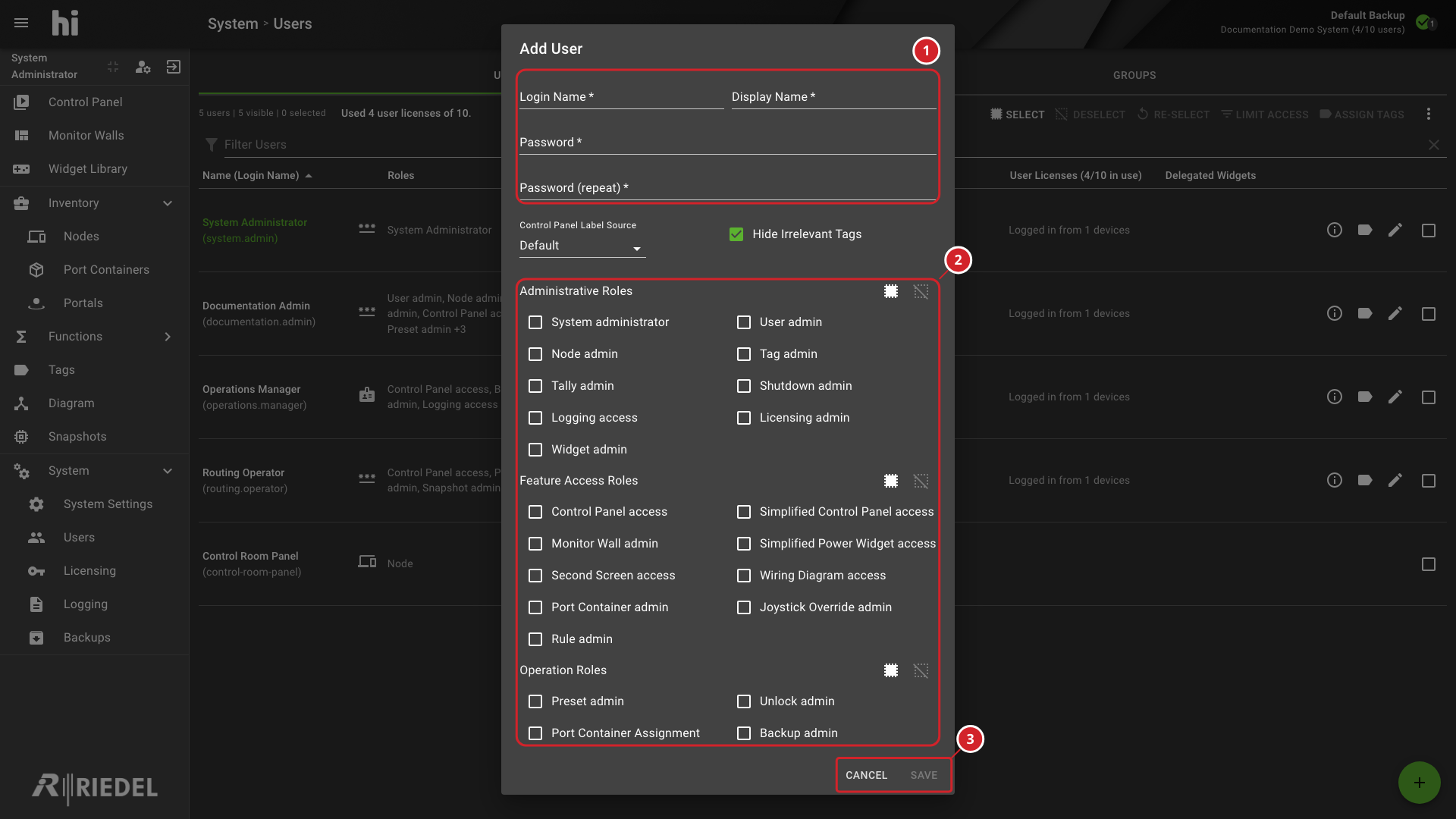
Complete the Add User dialog using the account field reference.
-
Select Save to create the user.
-
Open Account Information for the new user and verify the effective roles and Tags.
The Add User dialog creates local password-based users. To manage Entra ID users, Import Microsoft Entra ID User Groups.
-
Enter the login name, display name, and local password.
-
Assign the required roles from the three role groups.
-
Complete the required fields, then select Save to create the user or Cancel to discard the entries.
Verify the Result
Open Account Information for the affected user and confirm the effective settings. Sign in with a test account to verify access changes.
Next Steps
Use Assign Tags to Users to grant the new account access to the required Ports.