
Set a Microsoft Entra ID User Group Access Pre-filter
Overview
Configure the visible Tags and category relations for an imported Microsoft Entra ID user group.
Information
These User Group workflows require Microsoft Entra ID authentication. They are not supported for local users or non-Entra deployments.
Prerequisites
-
Use an account with the User admin role.
-
Open System > Users.
-
Confirm that Microsoft Entra ID authentication is enabled in System > System Settings.
-
Open the Groups tab and identify the imported Microsoft Entra ID user groups to change.
Set the Pre-filter
-
Select one or more groups.
-
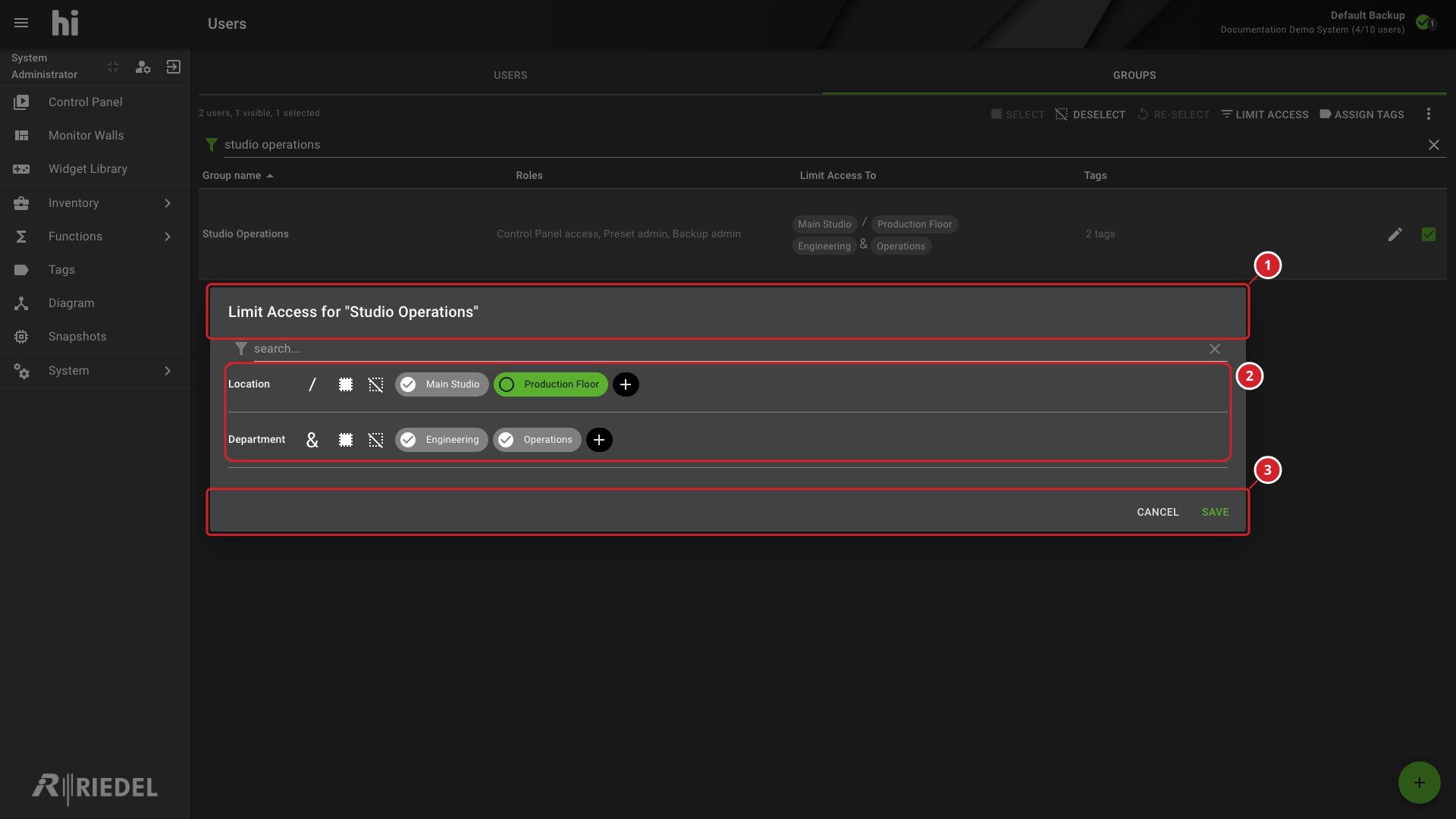
Select Limit Access.
-
Select the Tags that remain visible.
-
Set the logical operator for each category.
-
Select Save.
-
Pre-filter for the Studio Operations group.
-
Visible Tags and their category relationships, including the Location and Department operators.
-
Select Save to apply the pre-filter, or Cancel to discard it.
Tags assigned to a group are combined with the individual user assignments. hi combines the access limit of the user and the access limits of all the groups of the user with OR, so a group access limit can widen what the user's own access limit allows. The Account Information dialog for an Entra ID user shows the effective configuration from both the user and their group memberships.
Verify the Result
Open Account Information for the affected user and confirm the effective settings. Sign in with a test account to verify access changes.
Next Steps
Return to the Manage Users task list.