
Copy User Tag Assignments
Overview
Copy one user's Tag assignments to selected target users.
Prerequisites
-
Use an account with the User admin role.
-
Open the Users list and identify the accounts to change.
Copy the Assignments
Caution
Cloning replaces all Tag assignments of the target users with the Tags of the source user. Users can lose access that they had before.
-
Select exactly one source user who has at least one Tag in the Users list.
-
Select Clone Tags.
-
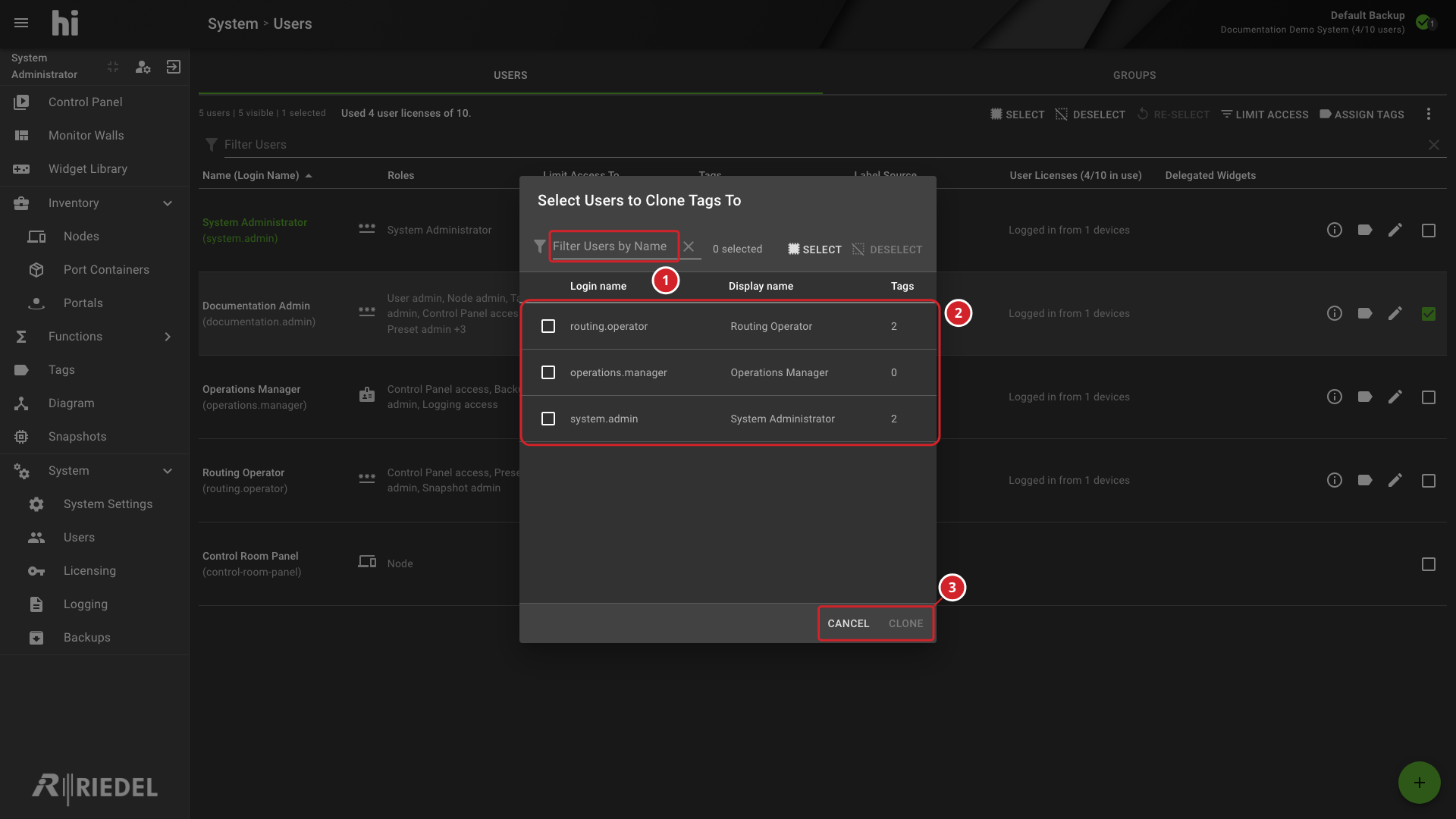
In Select Users to Clone Tags To, filter the list by name, then select the required users.
-
Select Clone.
-
Filter the user list to find target accounts.
-
Select the users who will receive the source user's Tag assignments.
-
Select Clone to copy the assignments or Cancel to close without changes.
Verify the Result
Open Account Information for the affected user and confirm the effective settings. Sign in with a test account to verify access changes.
Next Steps
Return to the Manage Users task list.