
Find Port and Port Container References
Overview
Identify configurations that use a Port or Port Container before changing it.
Prerequisites
-
Use an account with Node admin and Tag access to the required Sources and Destinations. Port References appears only when 200 or fewer Ports are selected.
-
Open Control Panel and select the required Preset.
Reference search covers Port Containers, Portals, Snapshots, Rules, Tally assignments, UMDs, Dynamic Labels, Shader Groups, Widgets, and Parameter value bindings.
Find the References
-
Select the Port or Port Container.
-
Select Edit Selected Ports in the Port list toolbar.
-
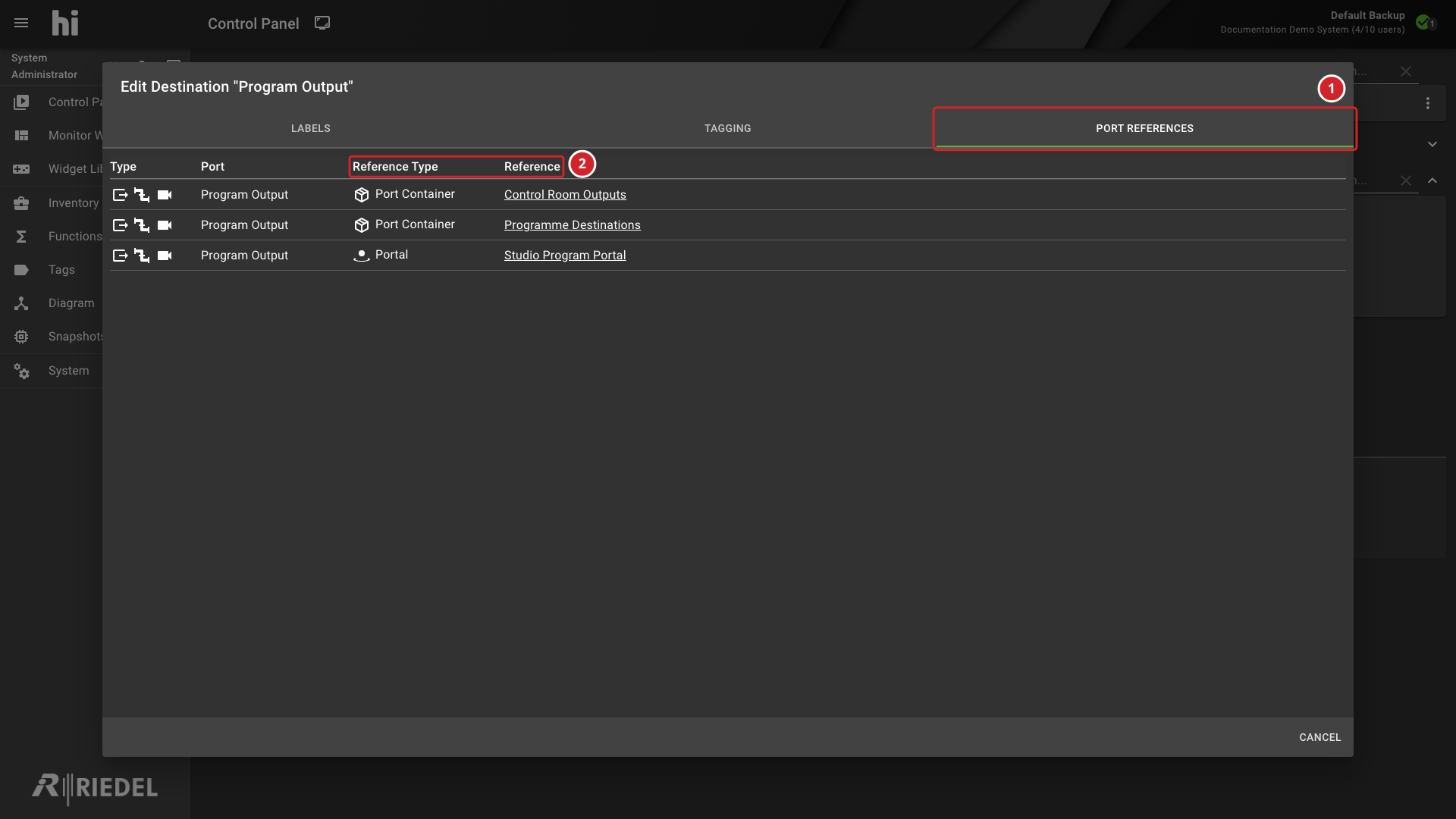
Open Port References and review the listed uses.
-
Select Port References to view other system objects that use the selected Port.
-
The list shows the reference type and the Port Container or Portal that references Program Output.
Verify the Result
Confirm the referenced objects before changing or removing the selected item.
Next Steps
Return to the Use the Control Panel task list.