
Route Multiple Sources and Destinations
Overview
Queue and apply multiple connections in Multi-Select Mode.
Prerequisites
-
Use an account with Control Panel access and Tag access to the required Sources and Destinations.
-
Open Control Panel and select the required Preset.
Perform a Gang Take
Information
In Multi-Select Mode, the Source display toggle switches between current and desired Sources. Use desired-source view to review the queued connections; Take is disabled while current-source view is selected. For a Multiviewer Head, select its active layout before using Take. Do not apply another layout merely to enable routing.
-
Select Multiselect Mode.
-
Select the required Destinations, then the required Sources.
-
Review the queued connections shown in white text on the Destination buttons.
-
Select Take.
Review Queued Connections
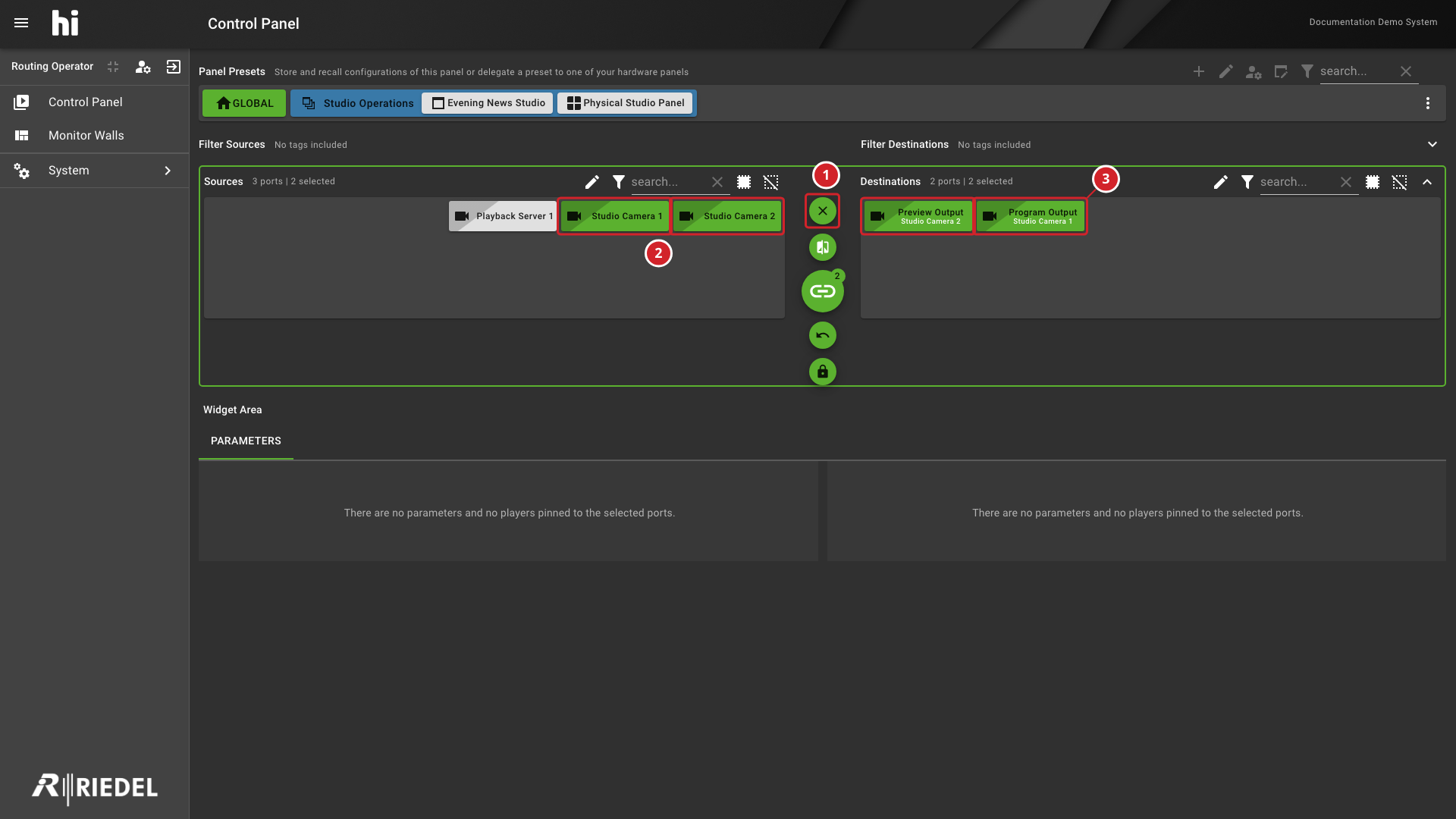
-
Exit Multiselect Mode leaves Multi-Select Mode.
-
Studio Camera 1 and Studio Camera 2 are selected Sources.
-
Queued Sources appear in white below Preview Output and Program Output.
Review Destination Labels
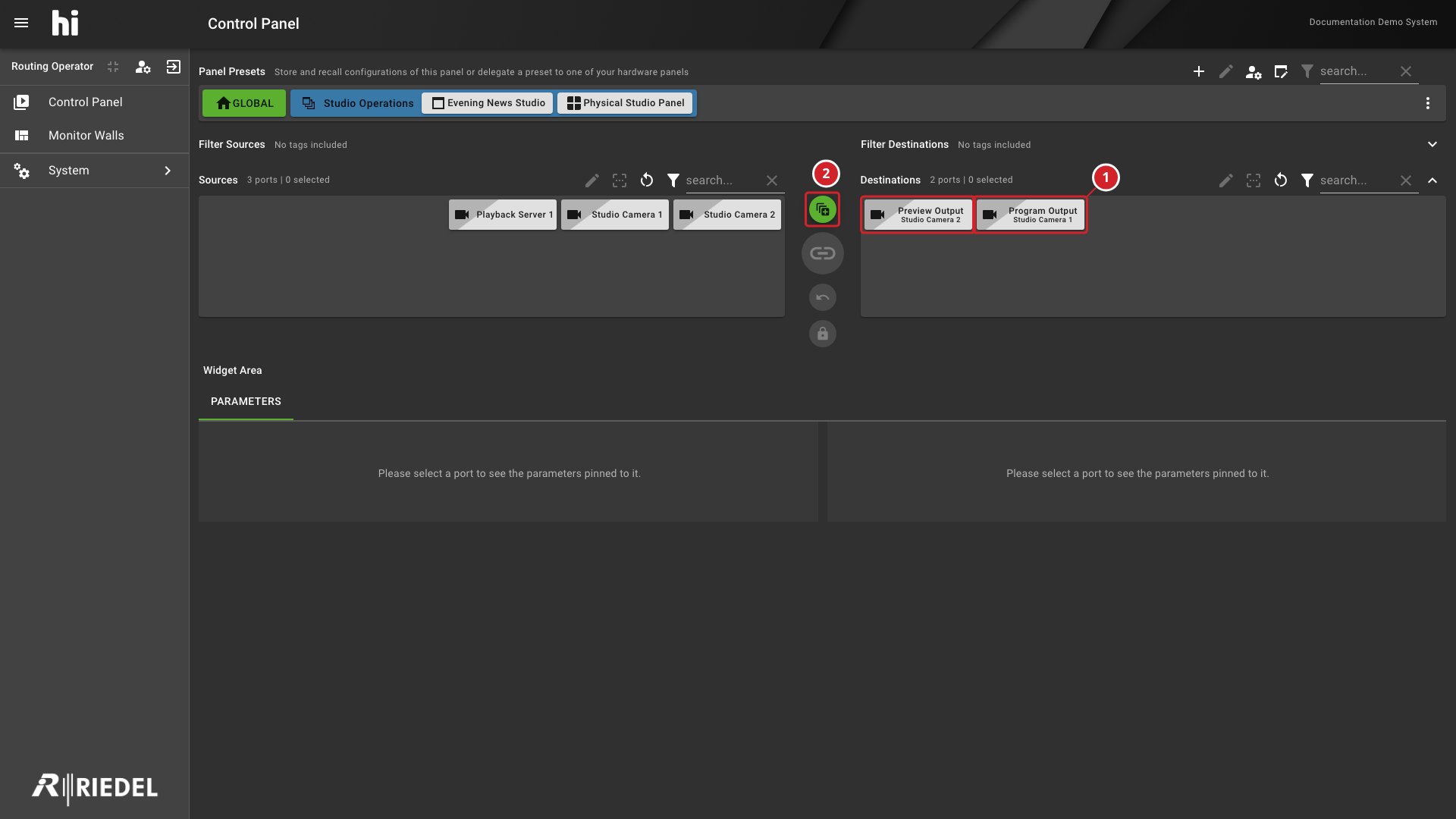
-
The Destination labels show Studio Camera 2 on Preview Output and Studio Camera 1 on Program Output.
-
Select Multiselect Mode to queue another set of connections.
Verify the Result
Confirm the resulting Source on each selected Destination.
Next Steps
Return to the Use the Control Panel task list.